
We’ve just released a major update to our ChatGPT and Claude plugins.
Now the MCP has new tools to give you even more powerful capabilities, including more ways to log custom data from your AI assistants.
This is an optional new feature that expands the possibilities of what you can do with your data, in addition to all the reports and coaching already available in the app.
Have you found an interesting use for the MCP? Or a prompt that got you good results? Let us know so we can share with the community!
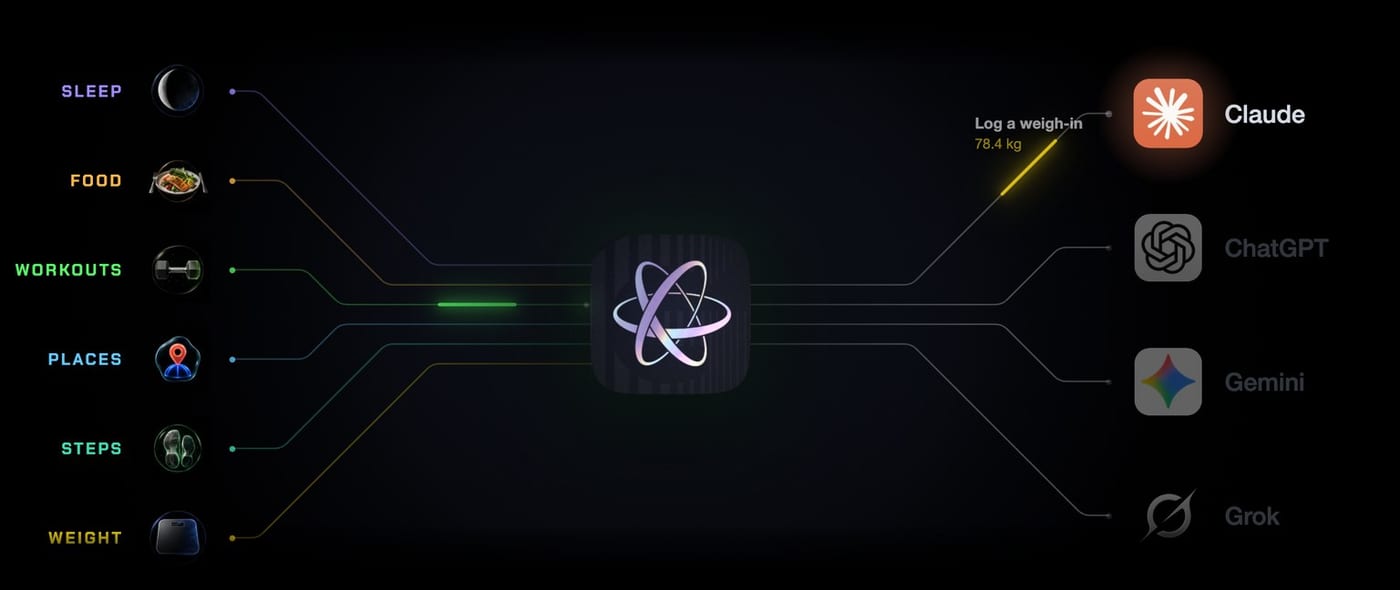
In this update:
- The new journal tool, for custom numbers and notes from any AI
- Built-in computer tracking and computer screen time tools
- Lift progress, exercise by exercise
- Your strength and mind benchmarks
Connect in one click
Claude. Add Gyroscope from the Claude directory, then ask about your data in any chat on the Claude desktop or iPhone app.
ChatGPT. Add the Gyroscope plugin from the ChatGPT directory to bring your history into your chats.
If you’ve connected already, you can open your connected apps to adjust the permissions and grant more access.
Track what your wearables miss
The new journal tool is open-ended. Data already tracked in the app should go there, for example your mood in the mood tracker, or food and drinks with food tracking. But for anything else that is custom data not tracked in the app, you can enter it in. You can also use it to enter more details.
For example, if you went running and it is logged, but you wanted to share more info about how exactly it felt or what was easy or hard, your pace, or where you went, for your coach to review or for your notes in the future.
Notes can be numerical or text, or both.
Custom numbers. Count anything you want to keep an eye on, and it’s saved as a custom data item in your journal.
- “I replied to 40 emails today. Add it to my journal.”
- “I had 3 meetings today. Add it to my journal.”
- “I made 12 commits today. Add it to my Gyroscope journal.”
Notes. Symptoms, and the moments that matter.
- “My symptoms were 2/10 today, feeling better. Note that in my journal.”
- “We just shipped the big project at work after three weeks of late nights. Add a note to my journal.”
Tip: try to put in things related to your health or important life moments. Too much stuff dumped in here will push out your important context, and could slow down the app. Now you have the ability to figure out what you care about and log it more easily.
Tip: if you log a number every day, turn on Journal in your connected apps and your AI can chart it against your sleep and steps.
Your time on your computer
Track and optimize your time spent on your computer, now with built-in computer tracking and computer screen time tools in MCP.
Your computer tracking by app and hour, from Gyroscope Desktop.
Also new
- Lift progress. Which lifts are getting stronger, exercise by exercise, so your AI can plan your next workout from your own numbers.
- Strength and mind benchmarks. See how strong your muscles and your brain are, and track changes over time to make sure you aren’t getting weaker without knowing. You can do these in the app, and now also pull up your trends via MCP.
New things to try
Here are a few sample prompts you can copy and paste to try it out!
- Your healthiest places. “Where do I eat the most healthy food?”
- Places and your targets. “Which places do I go to that cause days that miss targets? Can you spot any triggers or interesting correlations?”
- Your 1RM report. “Chart my estimated one rep max (1RM) for each lift in Gyroscope over the last three months. Explain the science behind the estimate, and give me a short report on which lifts are getting stronger and what to do in my next workout to keep progressing.”
- Computer time and sleep. “Load my computer time from Gyroscope for the last month. Do I sleep worse on the days I work late? Chart the difference and tell me which apps take most of my time.”