
The new Gyroscope V11.2 is now live and ready for download in the App Store!
AI technology keeps improving at an incredible pace, and we’re working hard to bring every improvement into Gyroscope as quickly as we can. Thank you to all the members who write in with suggestions, bug reports, screenshots and reviews. It all helps make every version better.
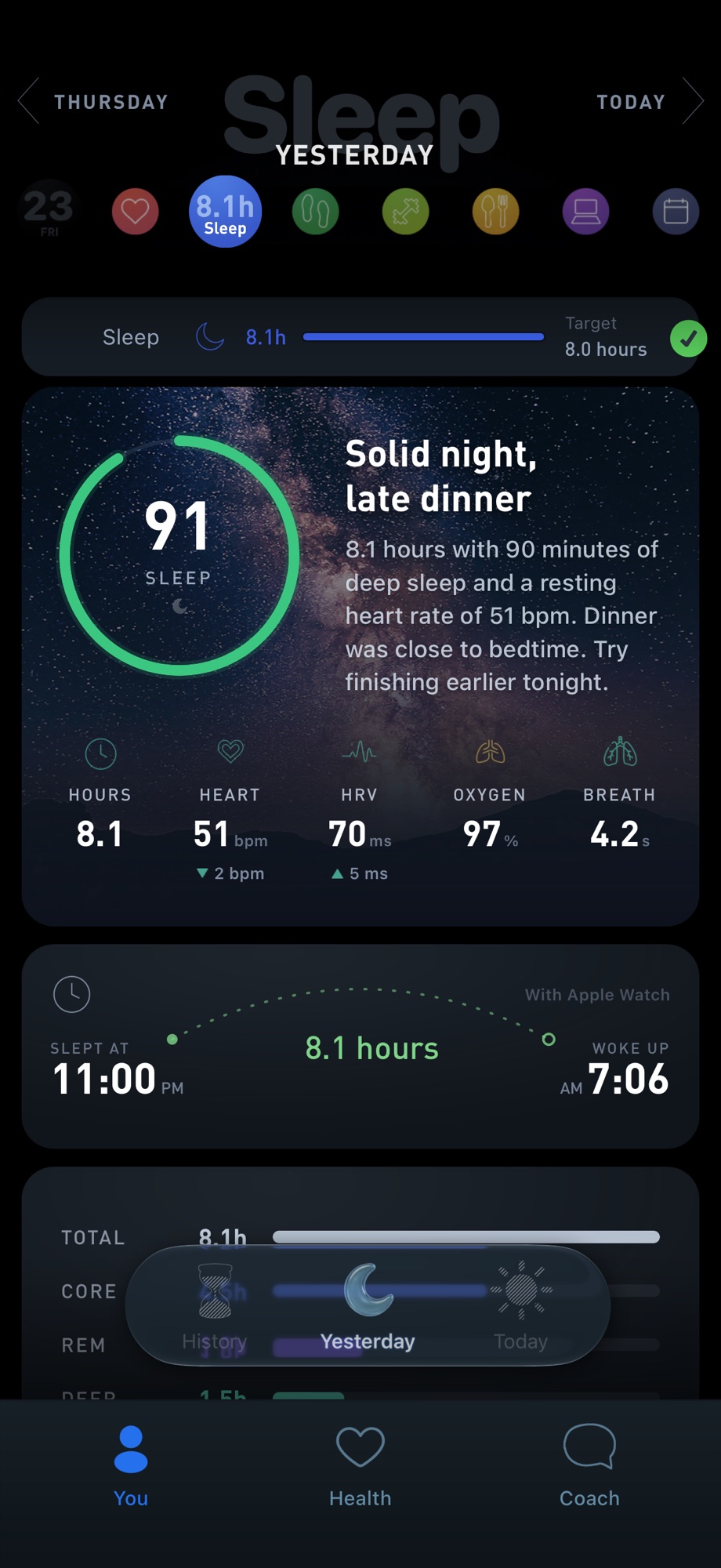
This version brings faster and smarter food analysis, an improved coach chat, new custom meditations, improved places accuracy and an improved sleep score.
Plus lots of other improvements, from many new languages to new layouts for iPhone Duo.

Faster and smarter food analysis
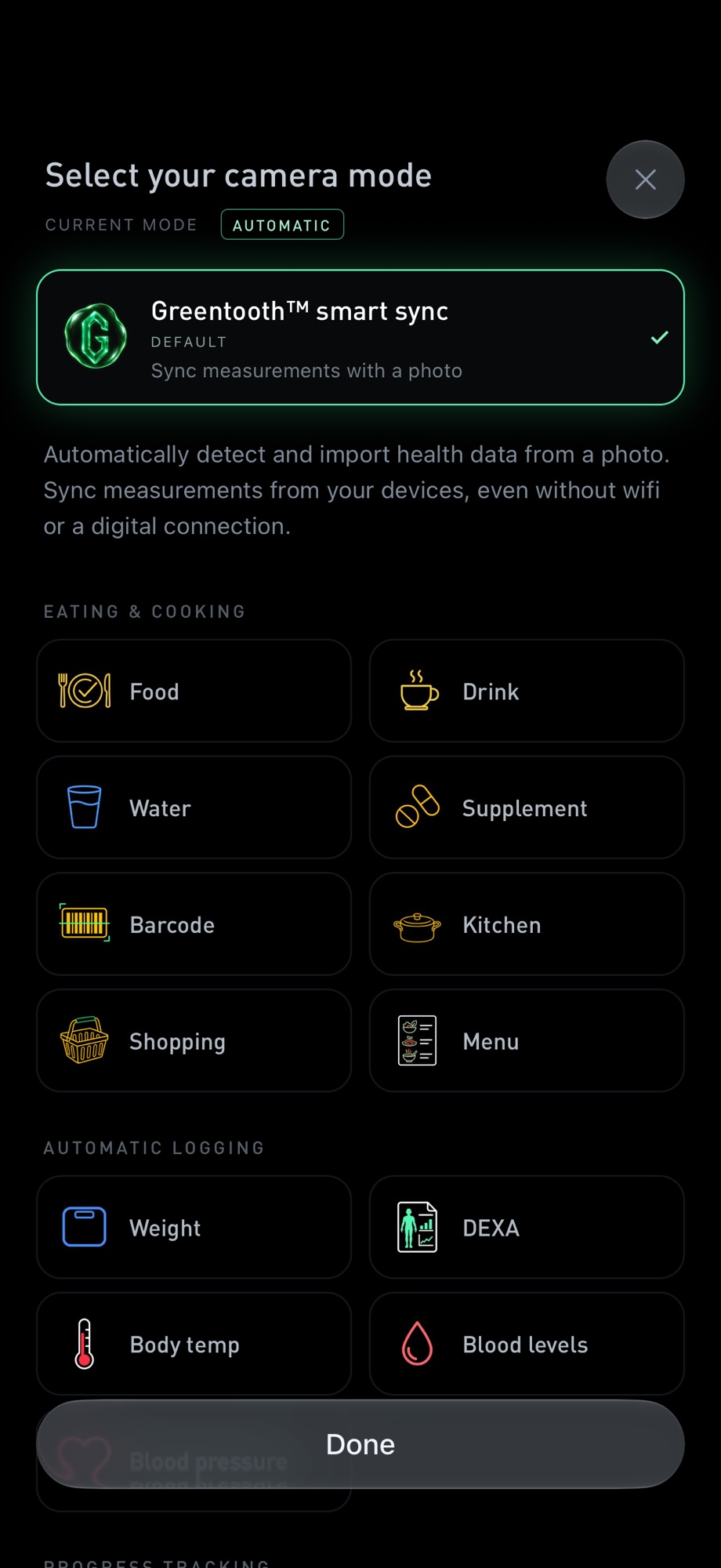
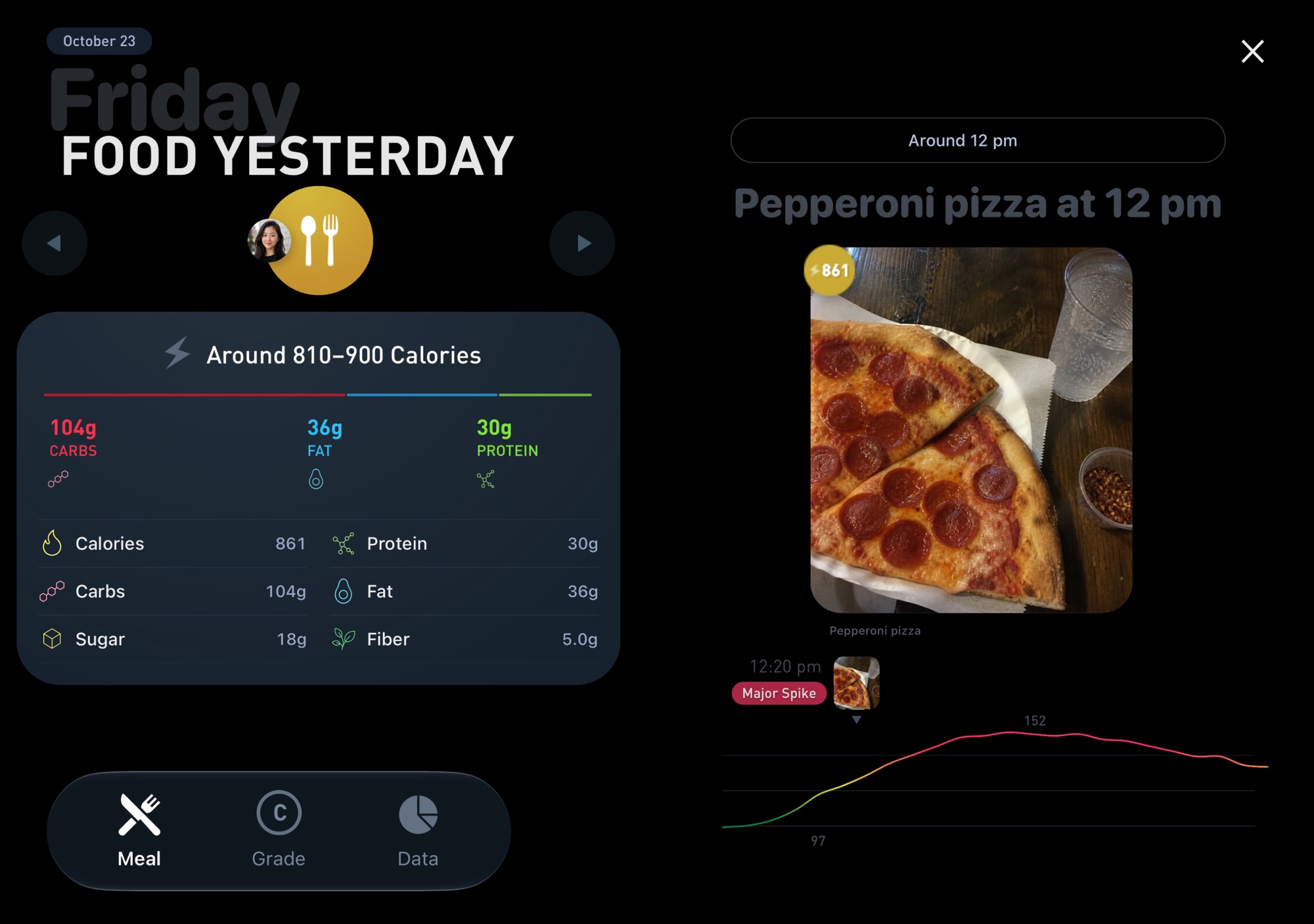
Food tracking is even faster now. We cut the time at every step, from the shutter press, to the photo showing up, to the analysis. Every part of the process has been streamlined and rebuilt to go as fast as possible.
Sometimes the camera would lag. Now the app takes a live snapshot of what is showing, so it can start rendering more quickly.
We also rebuilt the camera to have less shutter lag. When you press the camera button, what is showing is captured exactly, instead of sometimes waiting a second to take the real photo.
The automatic camera now decides much faster, and routes things to food more quickly.
Improved Coach chat
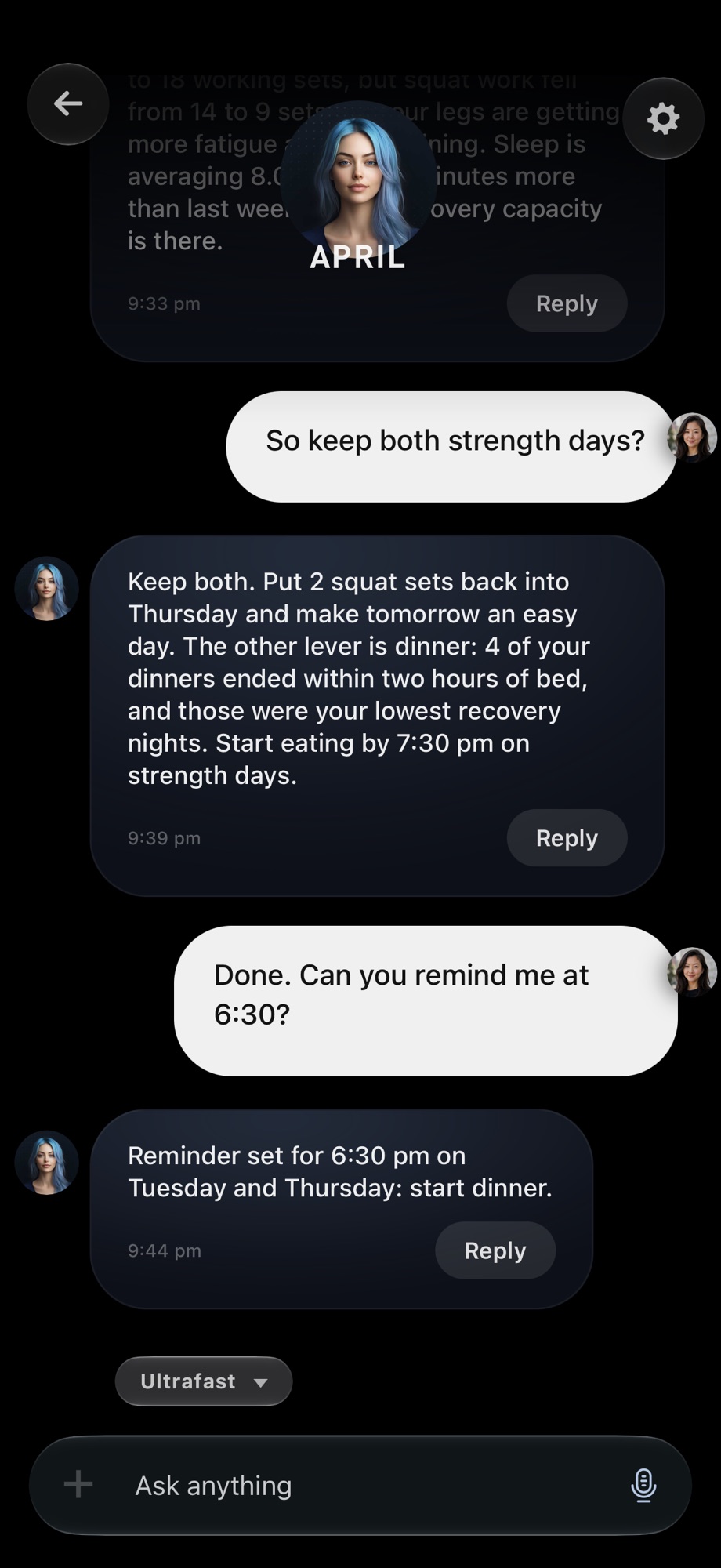
We made coach chat faster and more reliable. When the coach uses one or more tools, the conversation now runs more smoothly and more intelligently.
For members on G1, the coach now runs on the latest models we have been testing in Max. They are even more intelligent, so you should notice a big boost across the board.
Your coach also has better tools now for looking through your sleep, mood, Health Score, DNA and body trends, so you can discuss any of them in chat. Try asking it what time you have been waking up this month.
Improved coach calls. Calls no longer hang up in the middle of a conversation. We suggest a call once a week as your check-in. It can be more immersive than text chat.
Tip: if a question ever got stuck before, try asking it again now.
New custom meditations
Custom meditations got some big upgrades in this version.
New voices. The new voices have much better sound quality and realism. New meditations use the new voice. Your older meditations keep their original voice when you replay them, and there is a setting to keep the classic voice for now.
Realtime customization. Now you can adjust the mix of voice and music in realtime. You can also adjust how much silence you want.
More advanced meditators may want more silence between guidance. Others may want more constant guidance.
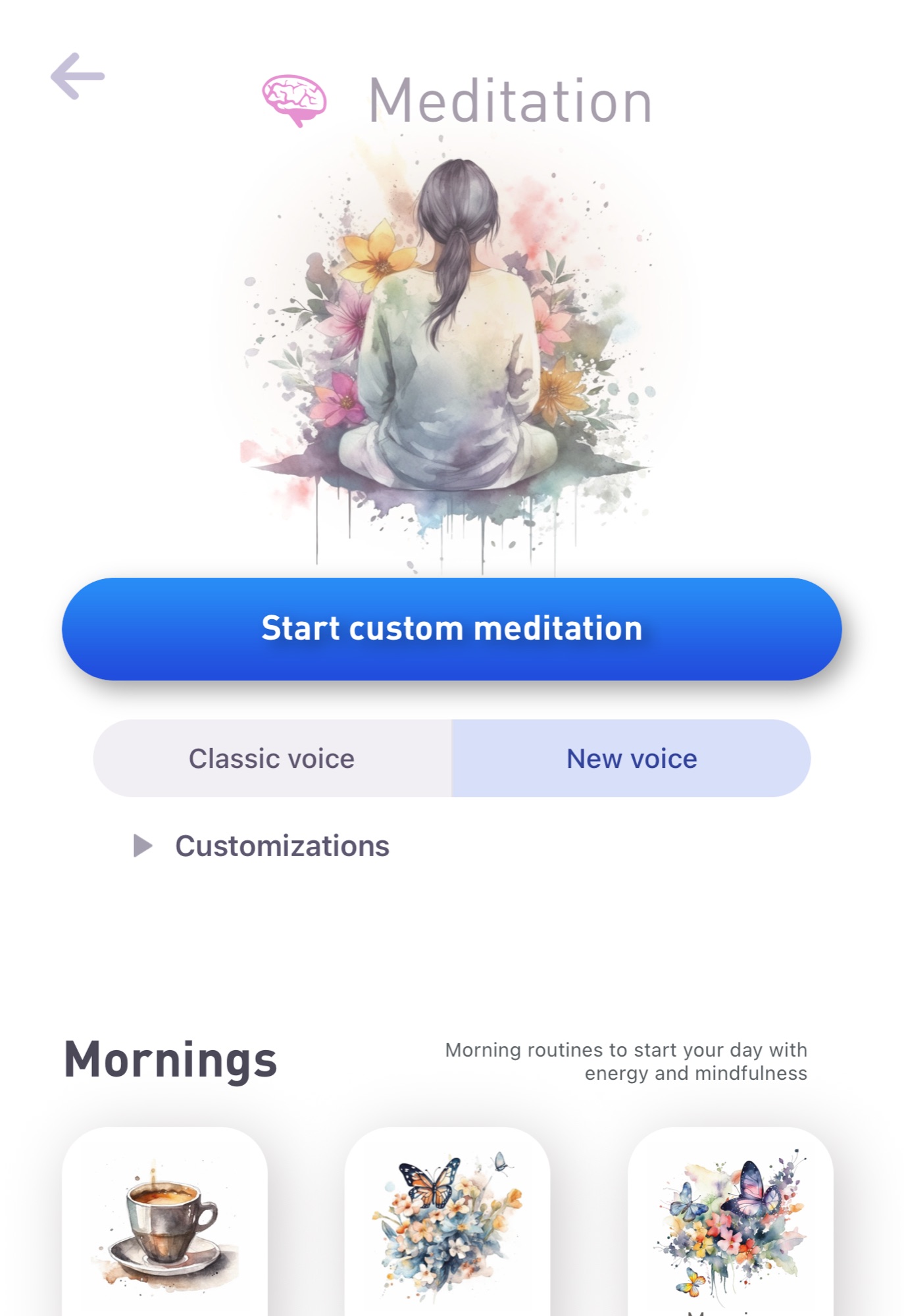
Improved meditation settings. Now you can take a quiz, and adjust settings like how long you want to meditate.
You can always start a meditation from the + button at any time, not just during your morning routine.
Note: meditations run most smoothly with your phone unlocked, even while your eyes are closed. This matters most while a meditation is first loading and generating. Once it has started, you can lock your phone if you need to. At night, or any time, you can switch to dark mode with one tap.
Tip: now you can add a custom meditation to your morning or evening routine. Pick a fully custom one to get a new meditation each time, or pick a specific meditation you like to repeat it exactly.
Improved places accuracy
Places now has its own standalone app. If you like that feature, download it to go even deeper into your places data, with your passport, travel analytics and more.
You can keep your main tracking in Gyroscope. This version updates the places tracking engine with all the fixes and improvements we’ve been testing over the last month.
That includes better GPS handling, more accurate travel routes and detection, and better handling of hard cases like trains with bad reception.
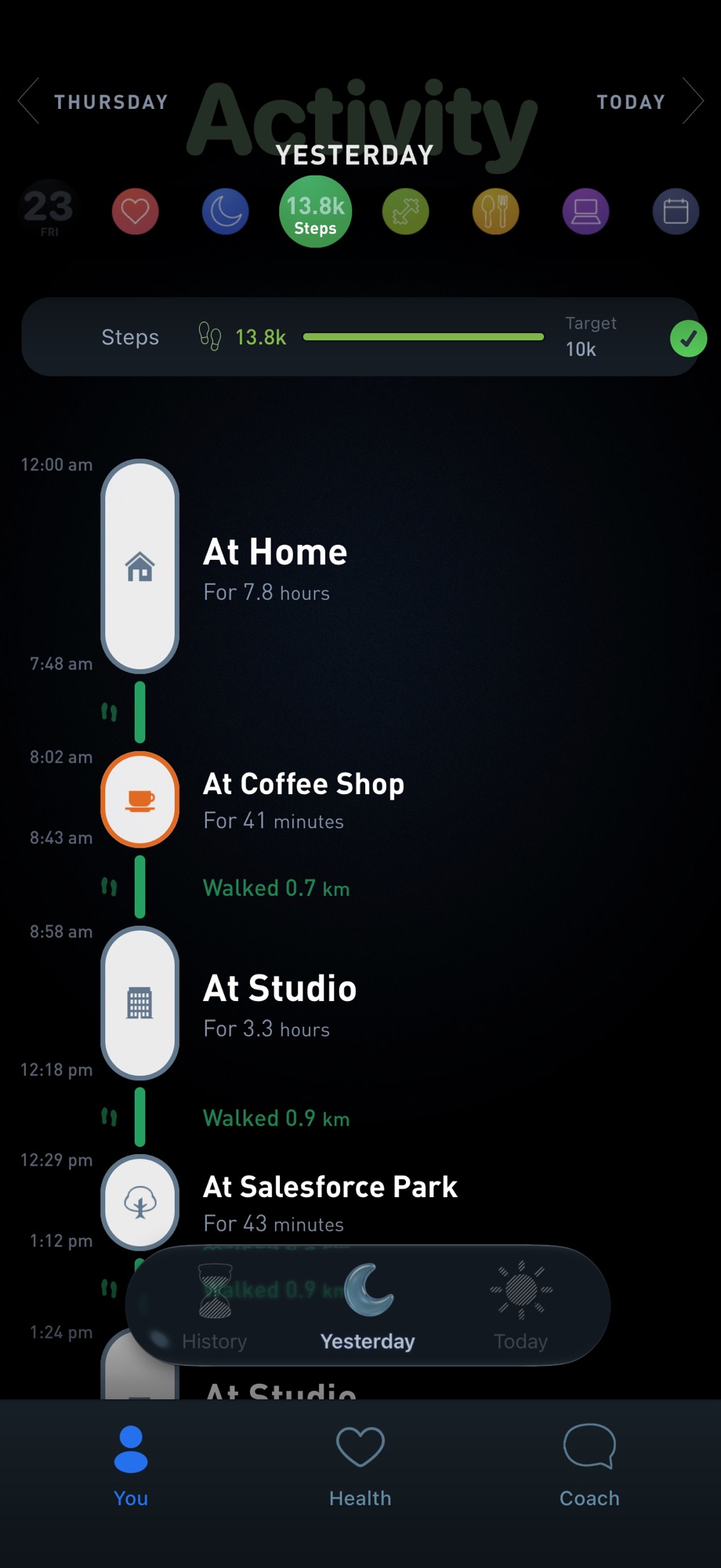
You can also open the advanced places settings to adjust your visit radius. A smaller radius is more precise, but it also creates more small stops. For example, waiting 4 to 5 minutes at a stoplight could count as a stop. A larger radius focuses on bigger visits and is more reliable.
You can also choose between battery focused and accuracy optimized tracking. This mostly affects your routes when you are out traveling, for example while driving.
If your phone goes into low battery mode or is low on battery, tracking automatically scales back. A very low battery can mean gaps in your places timeline.
We think this is a good tradeoff. If your phone dies, you will have gaps in your data too, and no working phone. On its own, places tracking uses nearly no battery, about 1 to 2% in total.
Improved sleep score
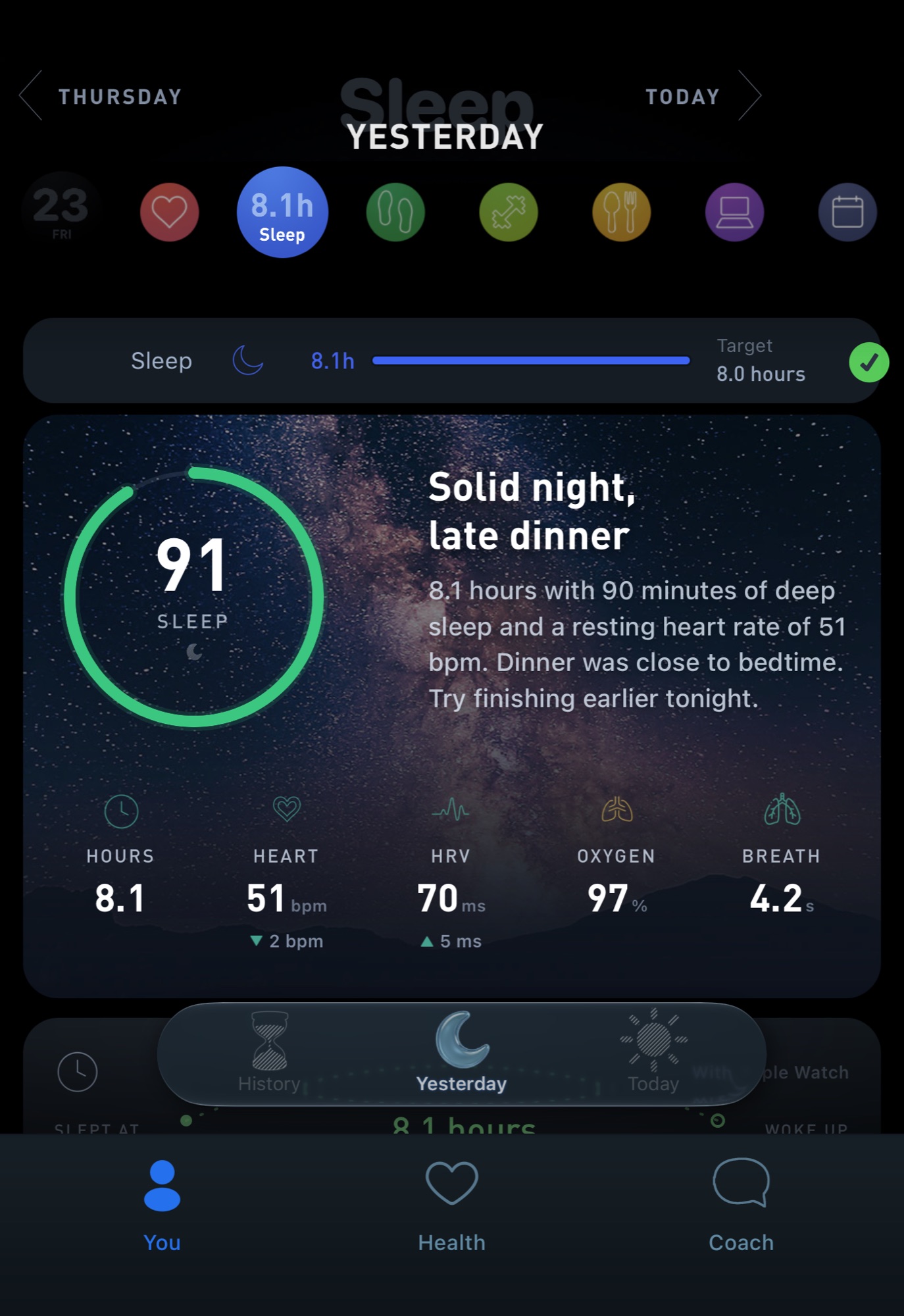
The new version has a better display of your sleep in the morning. If everything looks as expected, the app saves and processes your sleep automatically.
If your sleep is missing, very different or has conflicting info from different devices, you’ll see the options and can choose which to save.
This helps when you wake up early but aren’t done sleeping, and plan to sleep in for a few more hours. It also helps when your tracker only saved part of your sleep. For example, you woke up at 4am, checked your phone and it synced, but the rest of your sleep is missing.
These extra checks can take a few seconds each morning, but they make your data much more useful and reliable. Without them, any insight about a change in your sleep would raise a question: is it a real trend, or just an issue with the data?
New awake time analytics
Hopefully you sleep restfully through the night. But if you wake up for more than a few minutes, whether to use the bathroom, from noise or for any other reason, it is now highlighted. You can see more details in the charts.
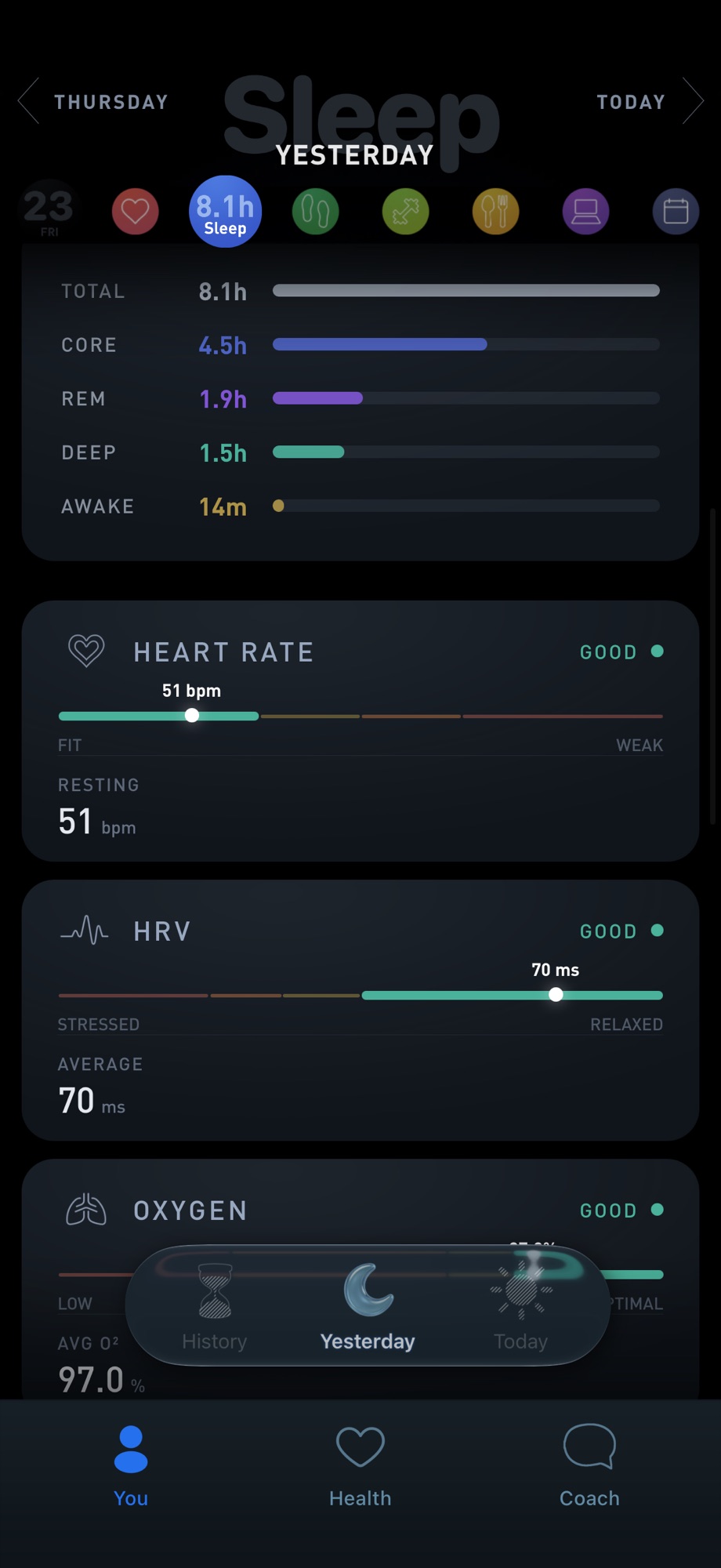
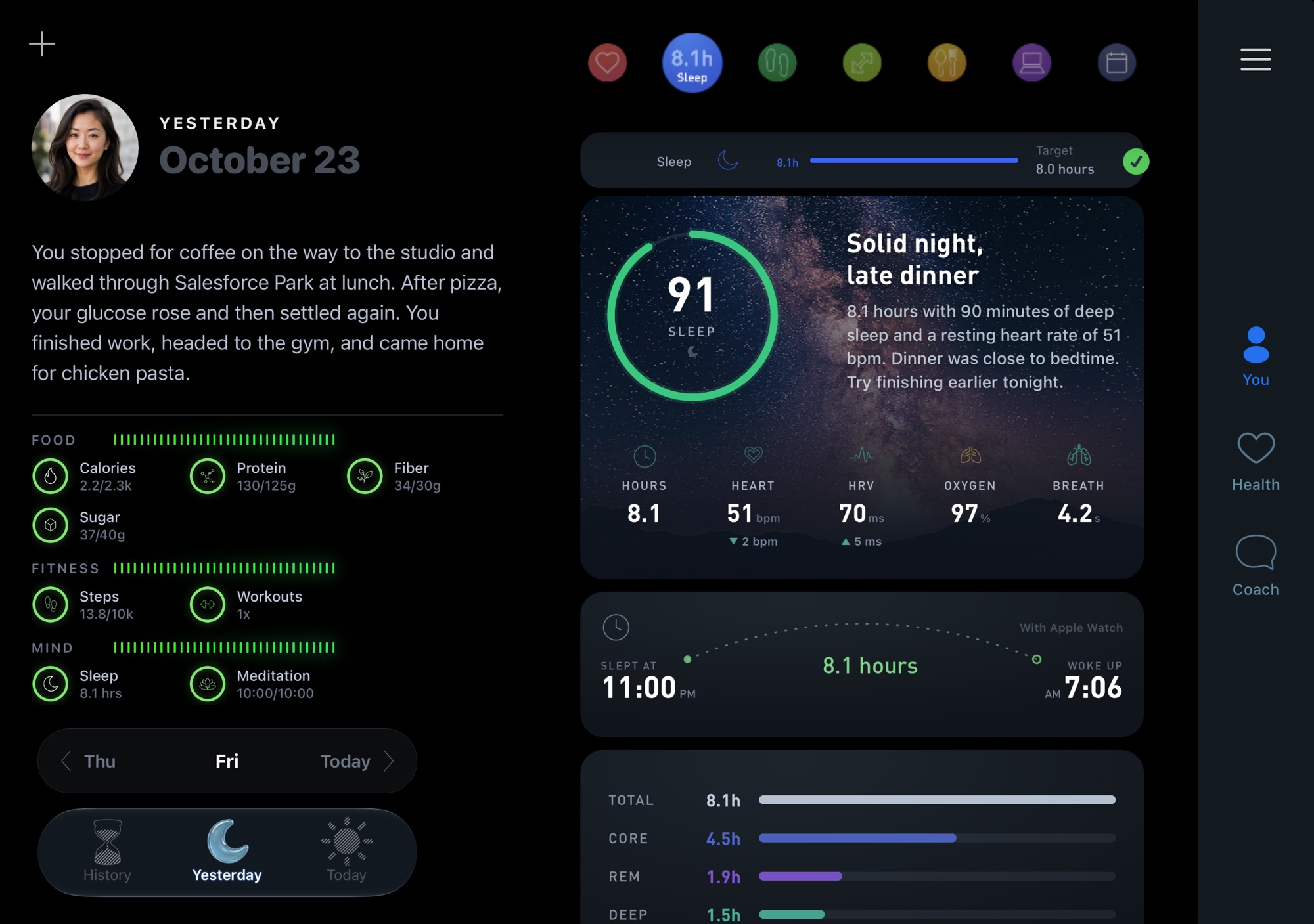
Awake time is a good place to experiment. Ear plugs, an eye mask or a change in temperature can sometimes help. So can supplements, or simply more exercise during the day. Everyone is different, so now you can use these tools to find what works for you.
Improved weekly and monthly reports
These are ready just in time for your October report. We made report processing much faster, so you get fully custom insights and reports from your data.
On Monday you’ll get a new weekly report, and at the end of each month you’ll get a new monthly report. Both have shareable cards and detailed coaching insights.
Lots of other improvements too
Here are a few more things that are better now.
Many new languages are here now!
Now you can share the app with friends who don’t speak English.
You can choose your language on the first screen or in Customize, and the app, your coach and your reports will follow it.
Editing your meals
Usually the system just works. Take a photo and everything gets figured out.
Now there is more handling for edge cases, and deeper customization if you want to make big changes to your original data.
For example, you can now move a meal to an entirely different time of day. Say you log your meals in the morning while meal prepping, but eat them much later. Now you can edit a meal and move it to another time that day.
Tip: to log a meal you had before, use “repeat” to clone it from the past. If you meal prep or often eat the same thing, especially a highly rated meal, this makes both logging and hitting your targets more automatic.
The + button also suggests meals to repeat, based on what you usually eat around this time. You can log them with one tap.
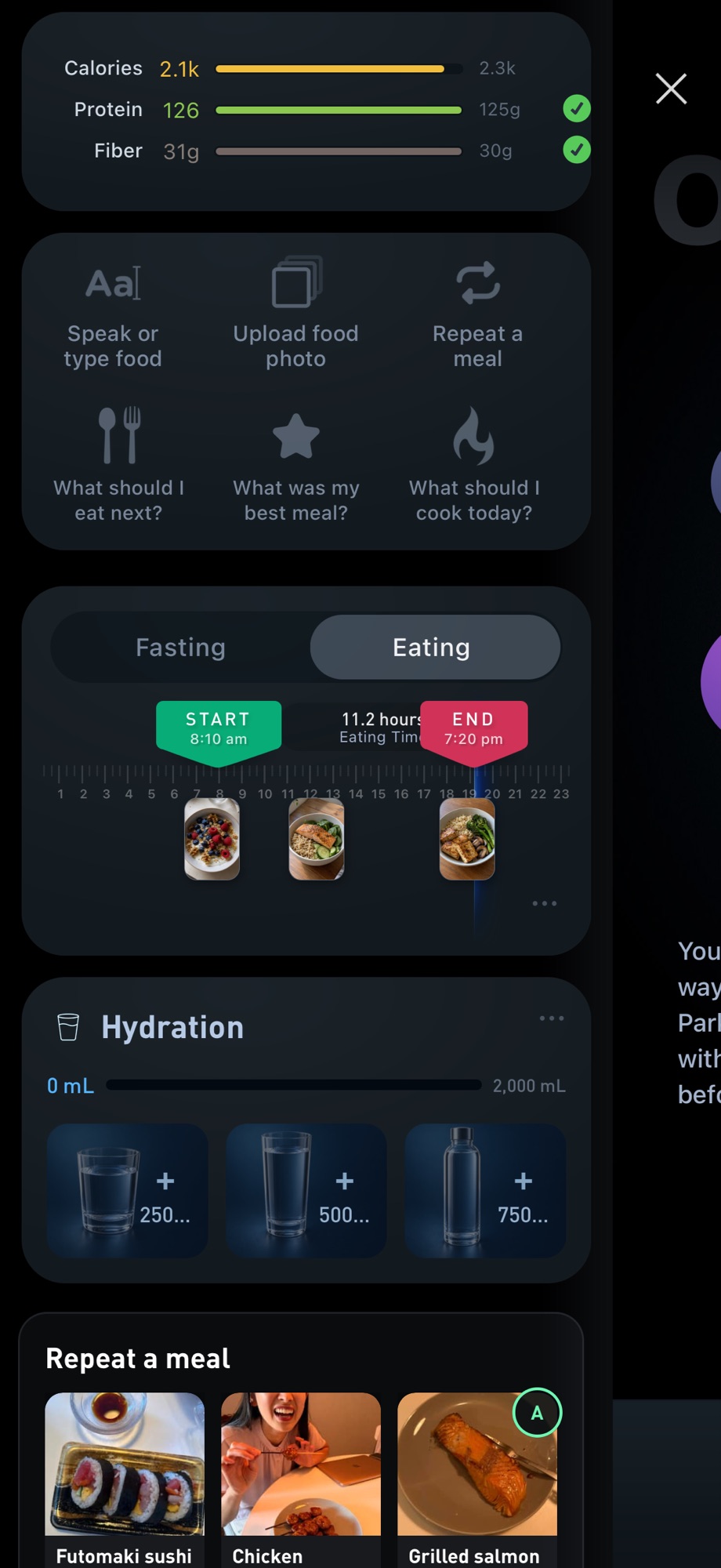
Custom schedules
There are new settings for adjusting your meal times. By default, morning is the morning, and daytime runs from around 11am until the evening. These match common schedules for when people eat.
Now you can override your eating schedule and define “morning” as something else. It can be a small change, like counting breakfast around noon if you always sleep in. Or it can be a full override if you work a completely different shift schedule.
Late night
In general, late at night you should be sleeping, not eating. Meals after midnight now go into a special late night category. Before, late night meals were mixed into the previous day’s dinner.
Hide the trackers you don’t use
The app shows many trackers. Now you can tap ... on any of them to hide it. For example, if you never nap, you can hide the napping tracker.
Easier benchmarking
Now you can review and retest your benchmarks in the Mind and Fitness tabs. More info
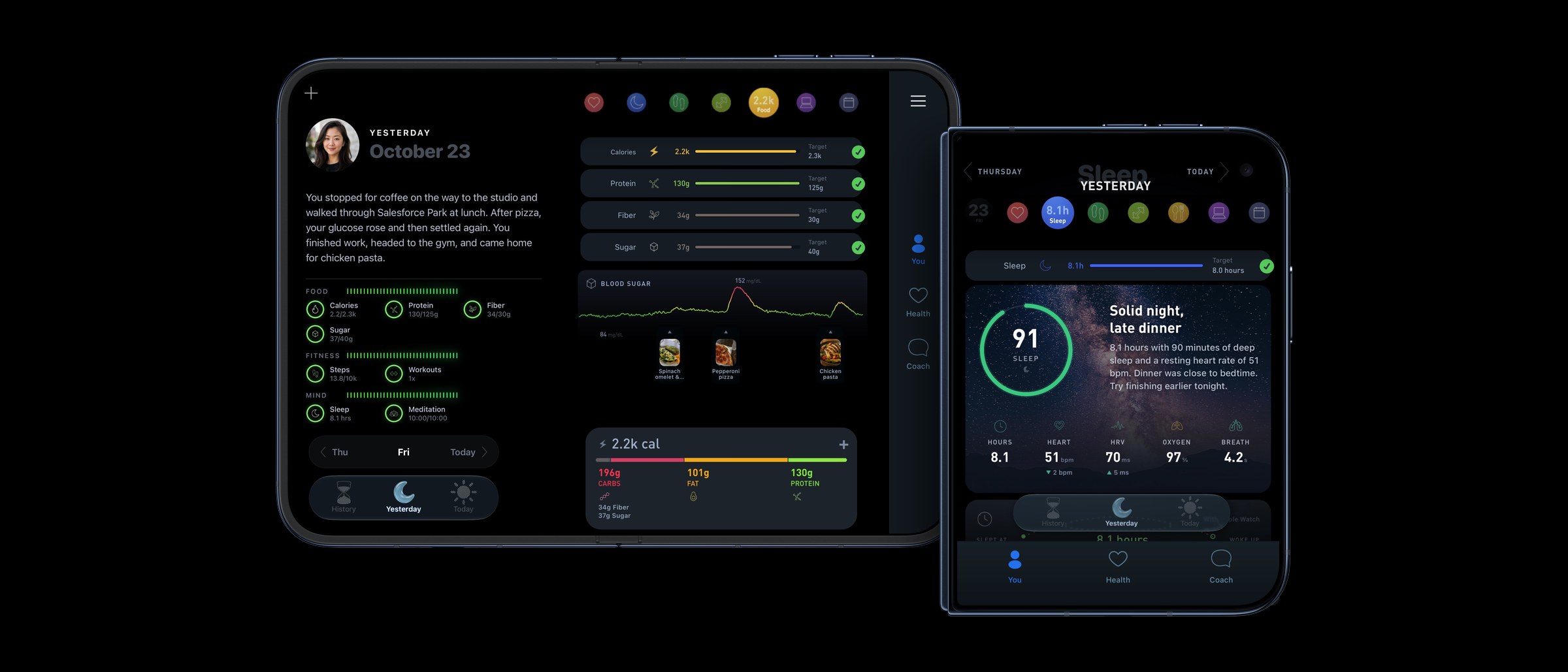
Optimized for iPhone Duo
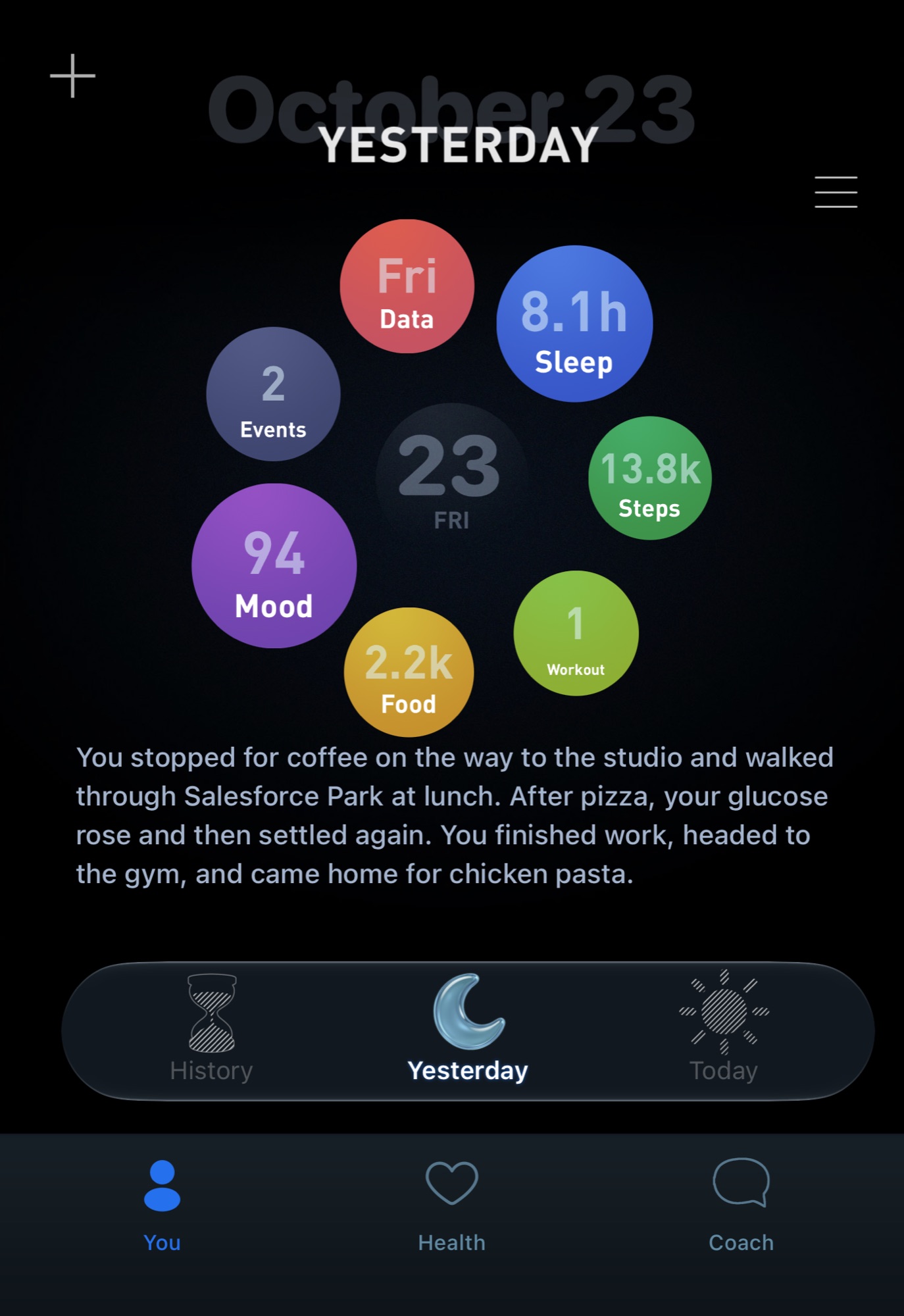
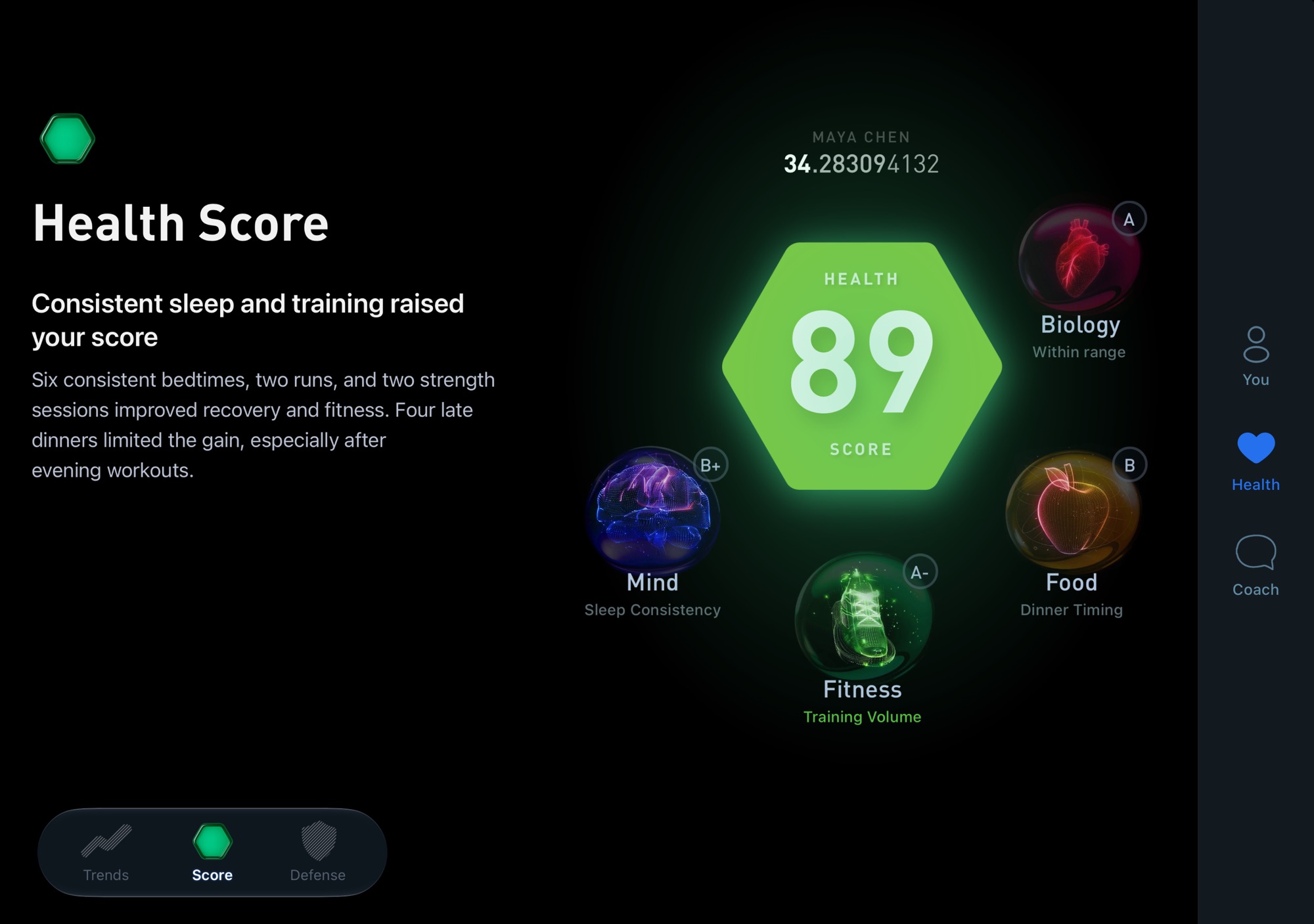
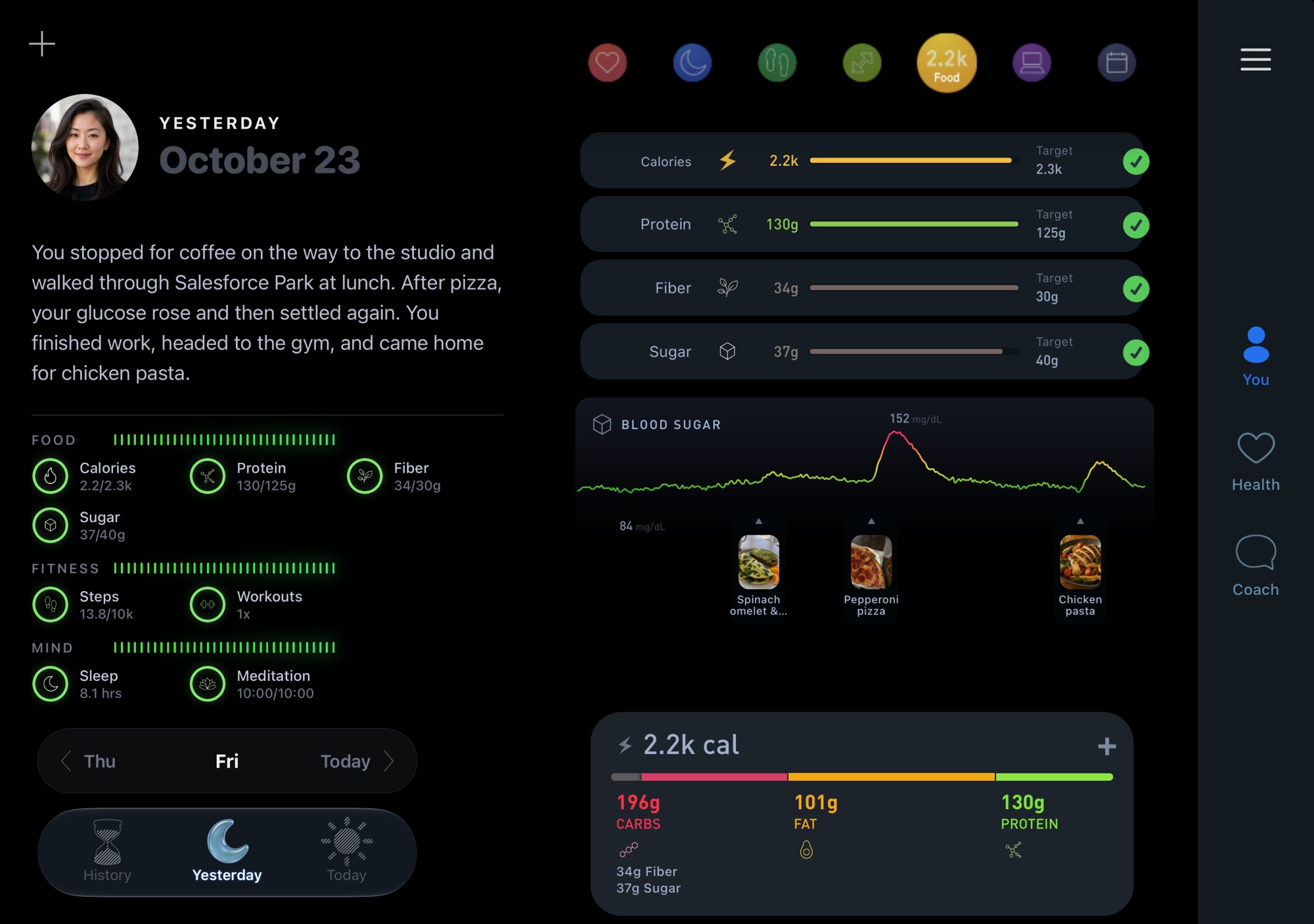
Gyroscope now has new layouts made for iPhone Duo.
Open it up and the tabs move to a side rail, with your day, Health and Coach spread out across two columns. Folded, everything fits on the outer screen.
Ready for download
The new version is now live in the App Store, and you can download it now to get started.
Point your iPhone camera here to download