
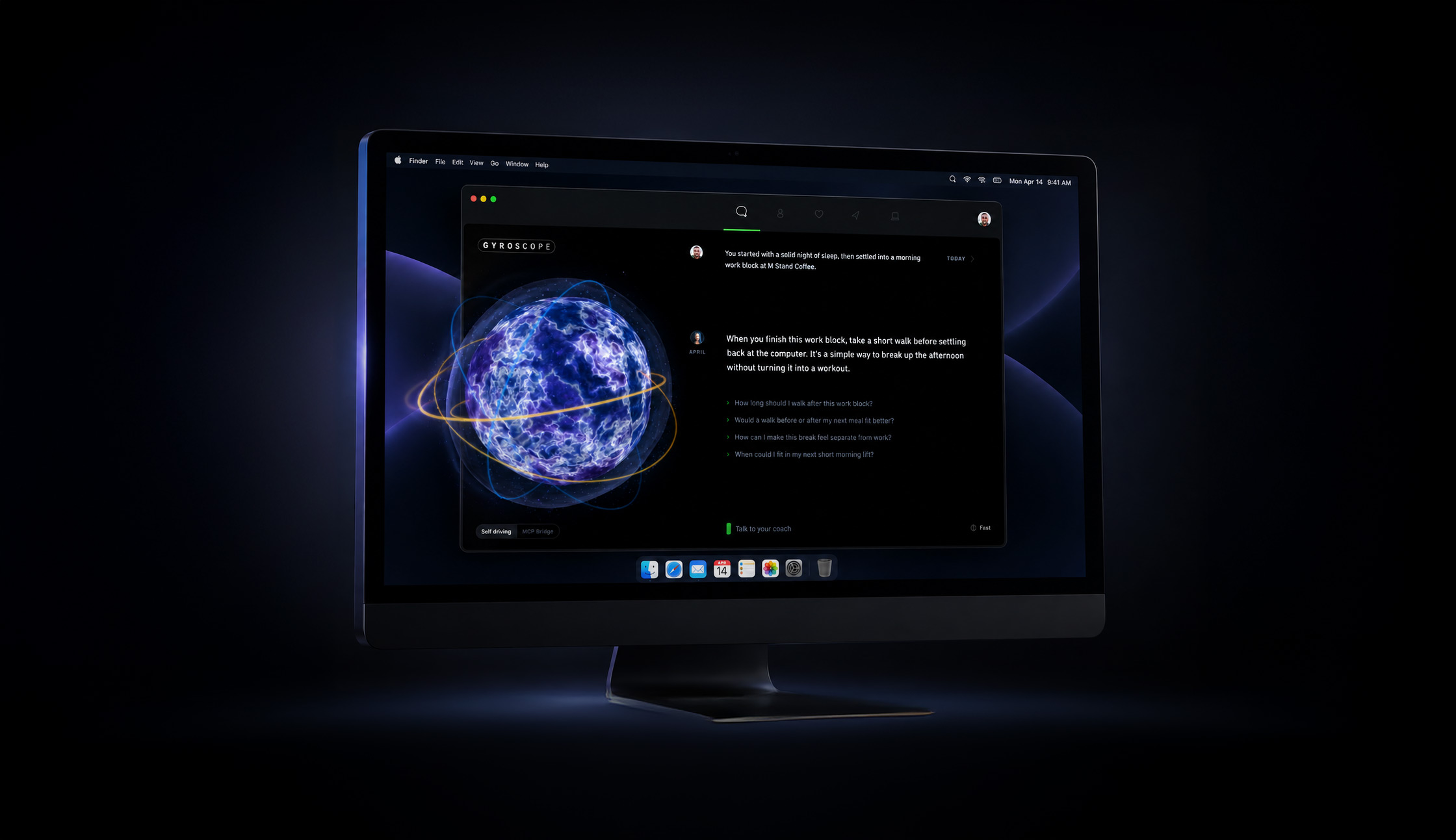
The new command center for your life is ready. Now you can install Gyroscope on your desktop (available for Apple Silicon Macs).
You can monitor your email, your calendar and your bank account on your computer. Why not your most important asset: your body?
The Gyroscope Desktop App puts you in the driver’s seat of your life, with powerful dashboards and coaching to see everything in one place. Keep an eye on your trends, productivity, meals, travels, health metrics and more, all in one simple and easy to use dashboard.
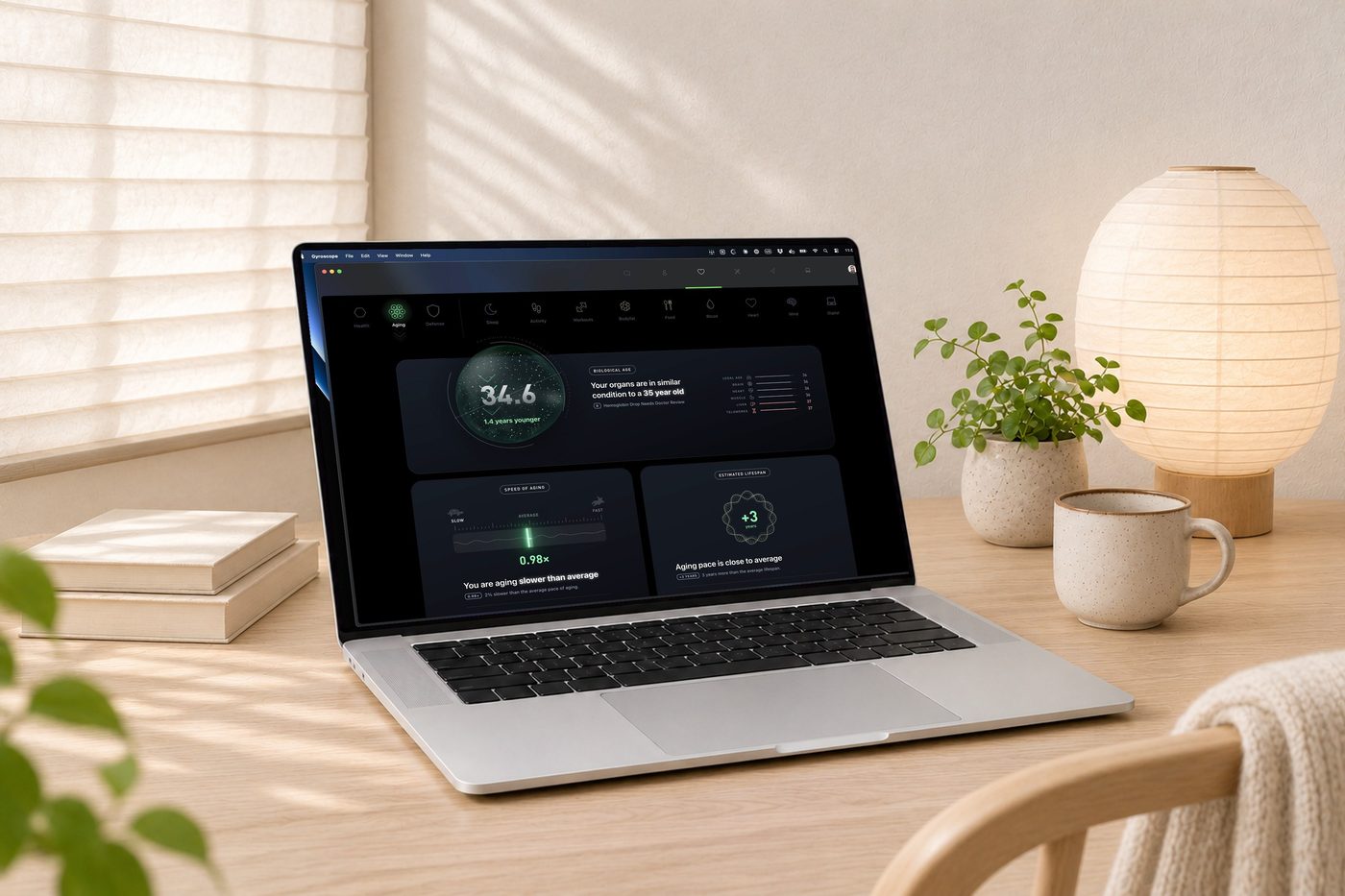
The new desktop app is included in your Gyroscope One membership, and it takes a few minutes to set up.
Maximize your productivity
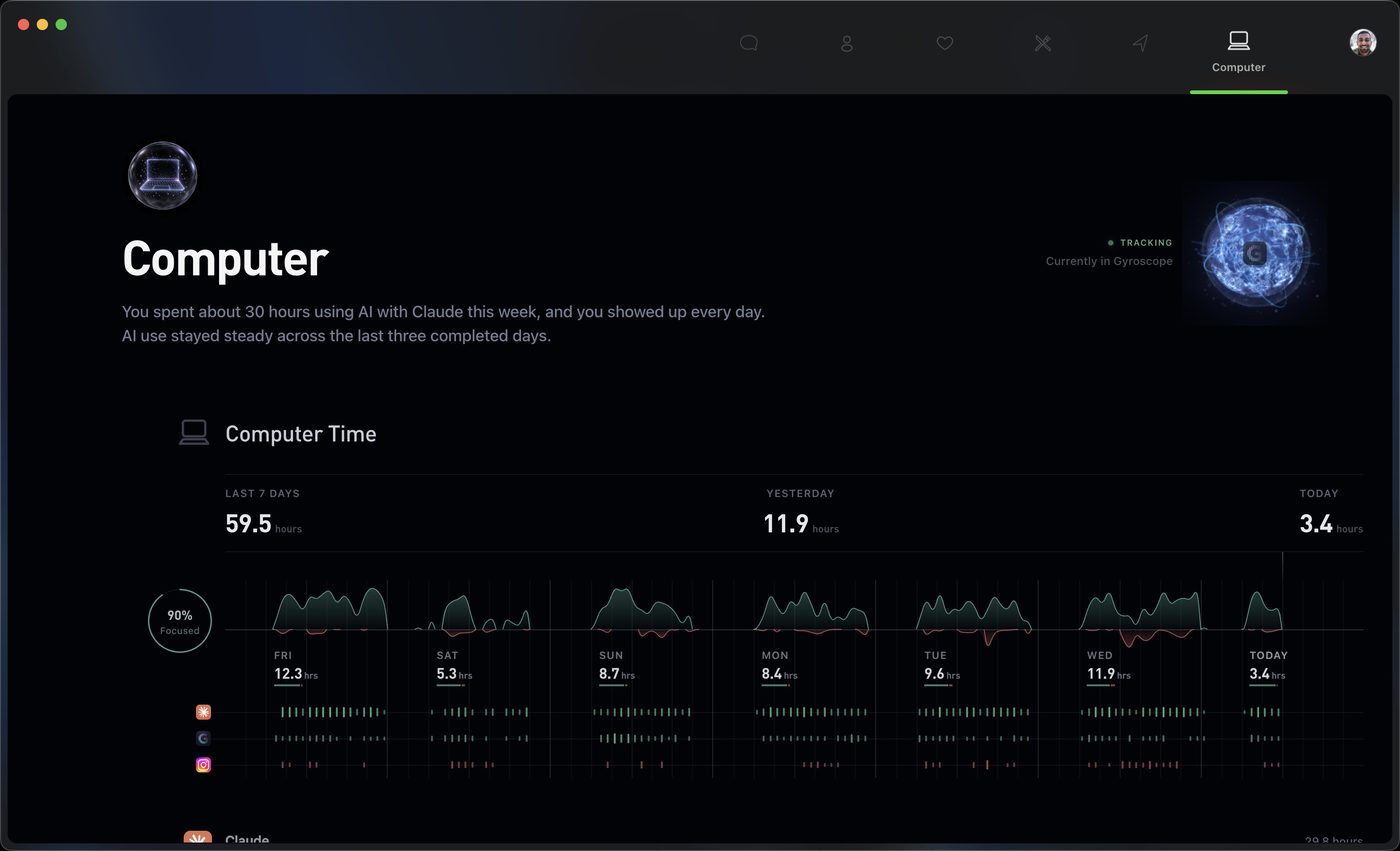
The Desktop App tracks your computer time automatically: which apps you used, for how long, and how focused you were. You can see which days went well and what took up your time on the ones that didn’t.
No more integrations needed. Computer tracking is built into the app now. Turn it on the first time you open the app, then switch between a few apps and watch it follow along.
A few details we care about:
- It works right away. App tracking needs no Mac permission. It records which app is in front and for how long.
- It knows when you step away. When your Mac sits idle, tracking stops counting after 3 minutes.
- It runs from your menu bar. Gyroscope keeps a G in your menu bar, so tracking keeps going after you close the window. You can pause it there any time.
- It stays private. Gyroscope never takes screenshots or records keystrokes.
Limiting social media to 30 minutes a day for three weeks significantly reduced loneliness and depression (Hunt et al., Journal of Social and Clinical Psychology, 2018). Seeing this info in realtime gives you more awareness of where your day goes and helps you spend your time the way you want to.
Your focus and computer time also count toward your Health Score.
Know yourself
You can see your Health Score and biological age in the app, and now you can see them in the desktop app too. The new Health tab puts all your important info in one view, so you can see the big picture and keep an eye on the things that really matter.
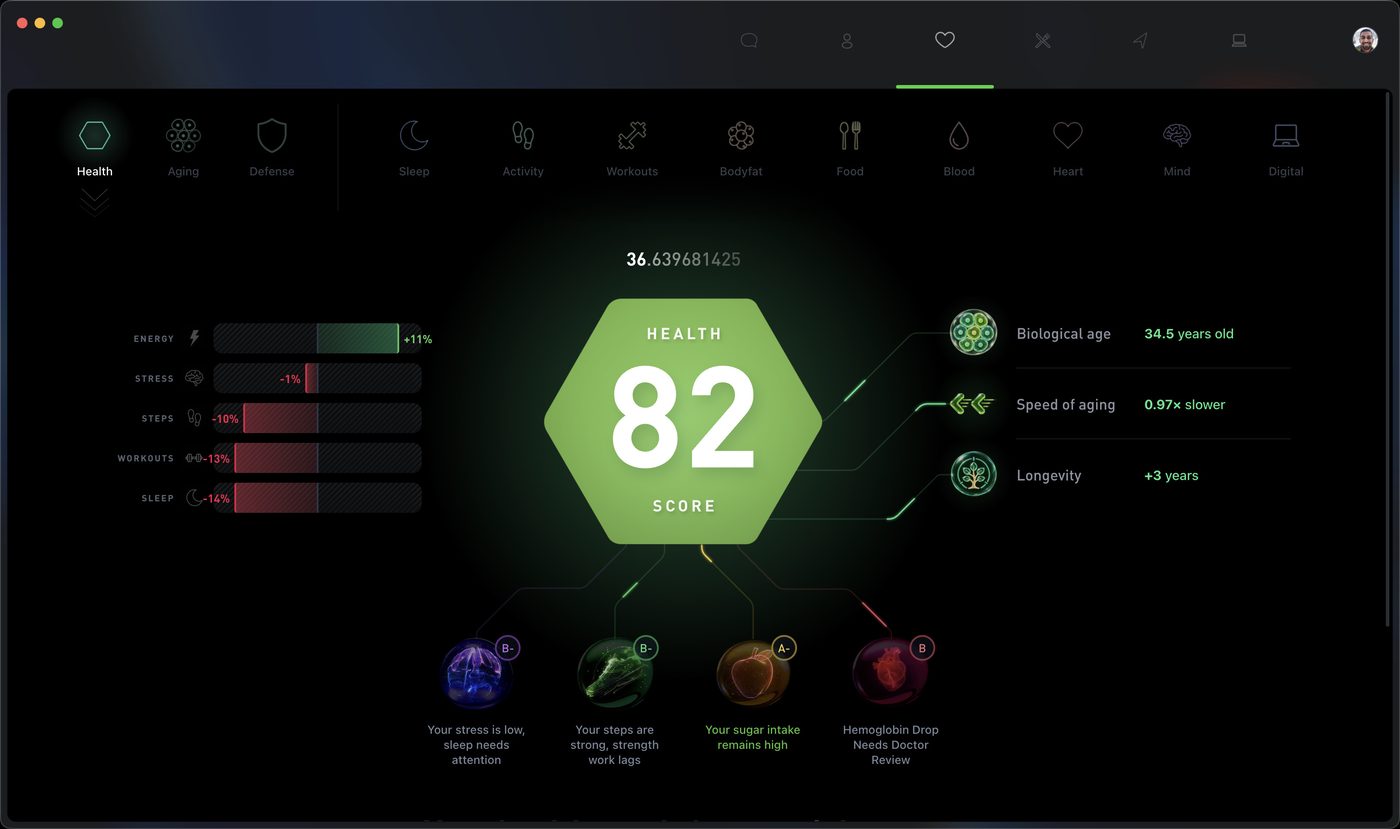
Click any section to go deeper into your trends and data. The app makes it fun and easy to explore all the stats you’ve already been tracking.
Each trend opens in its own window, so you can put your sleep next to your workouts and compare them.
Measure what matters
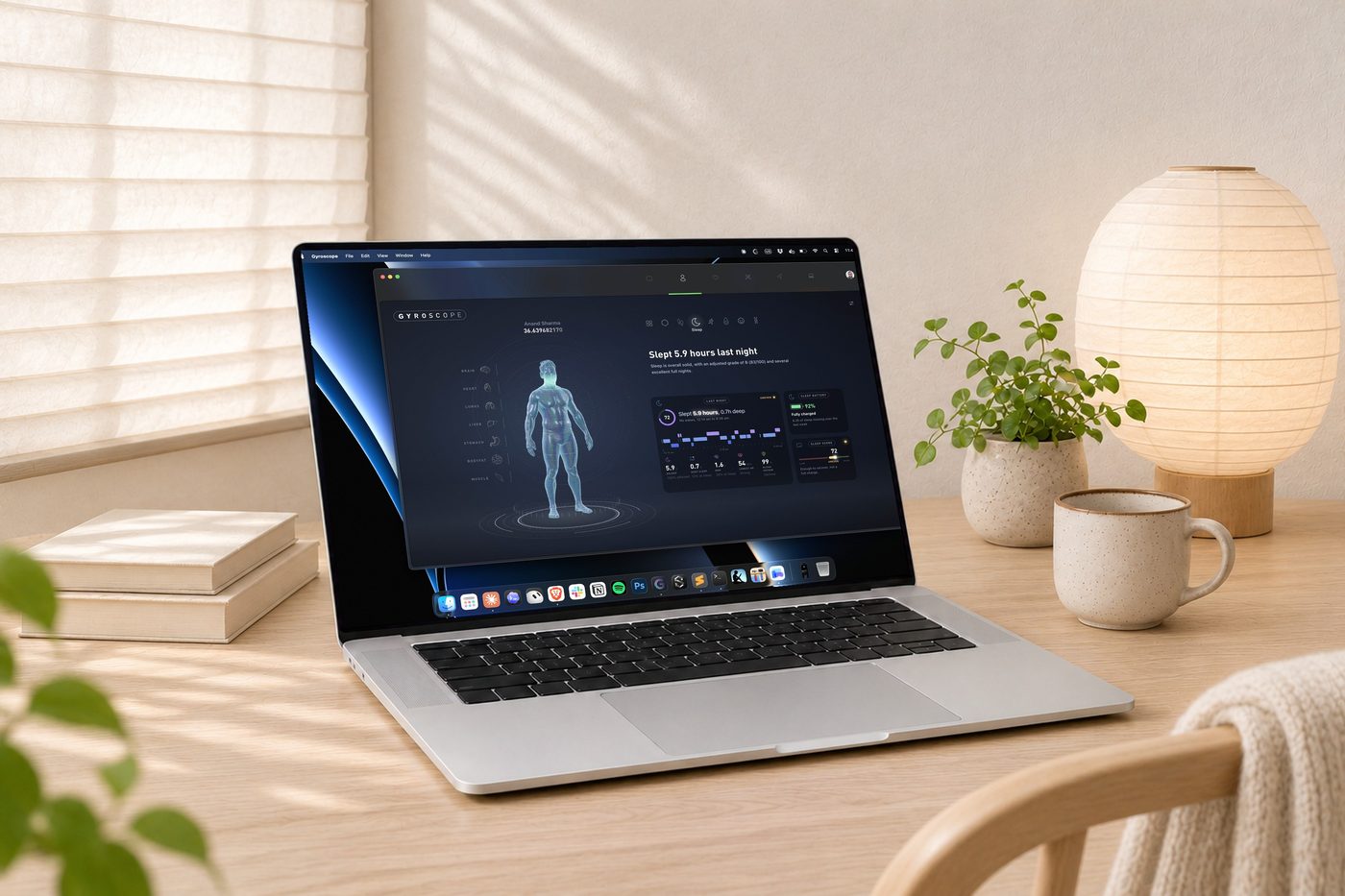
Keep your eye on what you care about, with a realtime dashboard of your body. The You tab puts a 3D model of your body in the center, with the numbers you care about next to it.
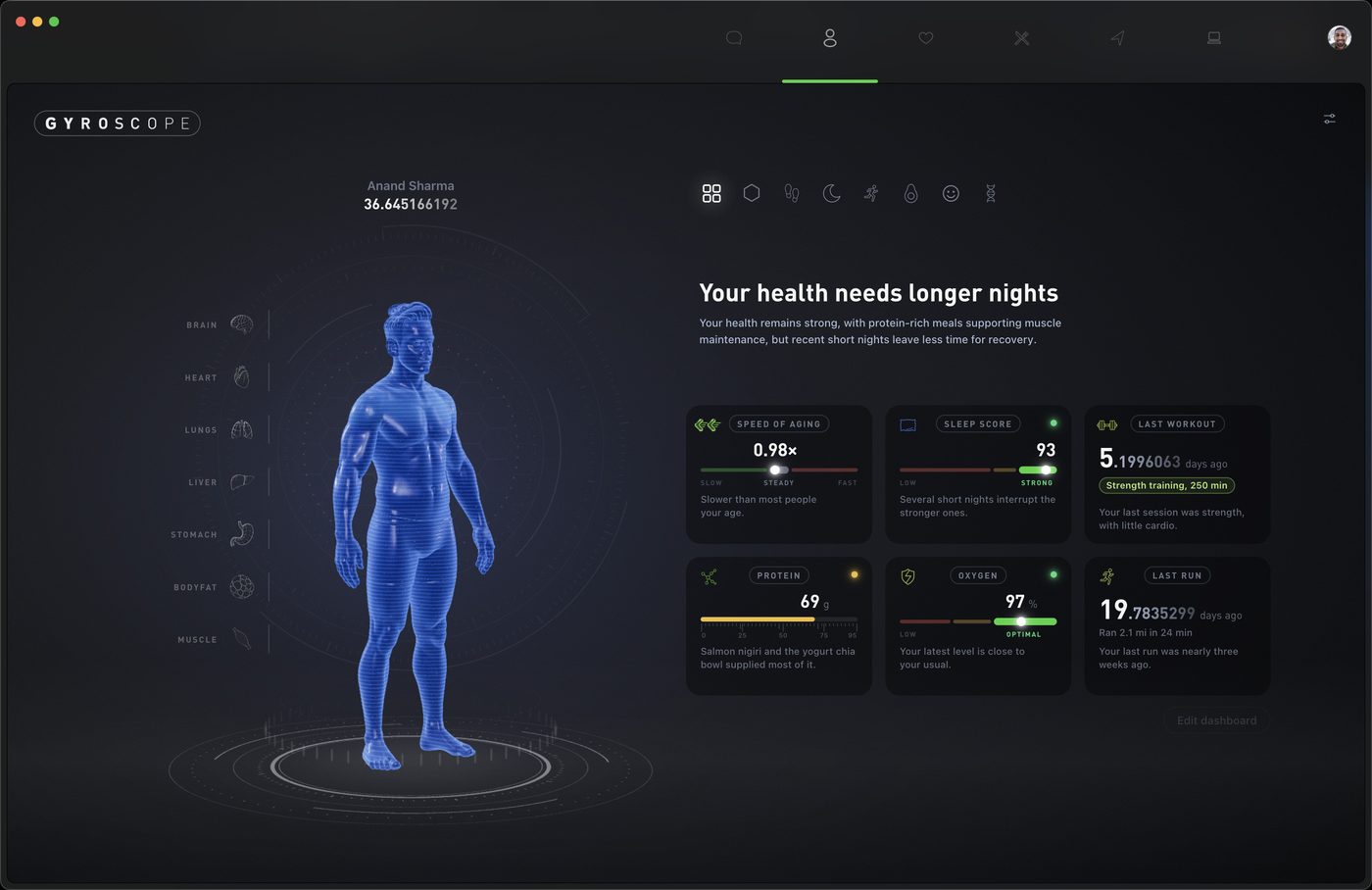
You can choose from premade dashboards for things like sleep and food, or build your own from dozens of widgets. Hover over the heart, brain or liver to see what is behind it.
Leave it open on a second screen and the numbers you want to focus on stay in sight. Turn on Autocycle and the app moves to the next dashboard every minute.
Make it your own
Customize everything about your dashboard. Color, widgets, even the human body.
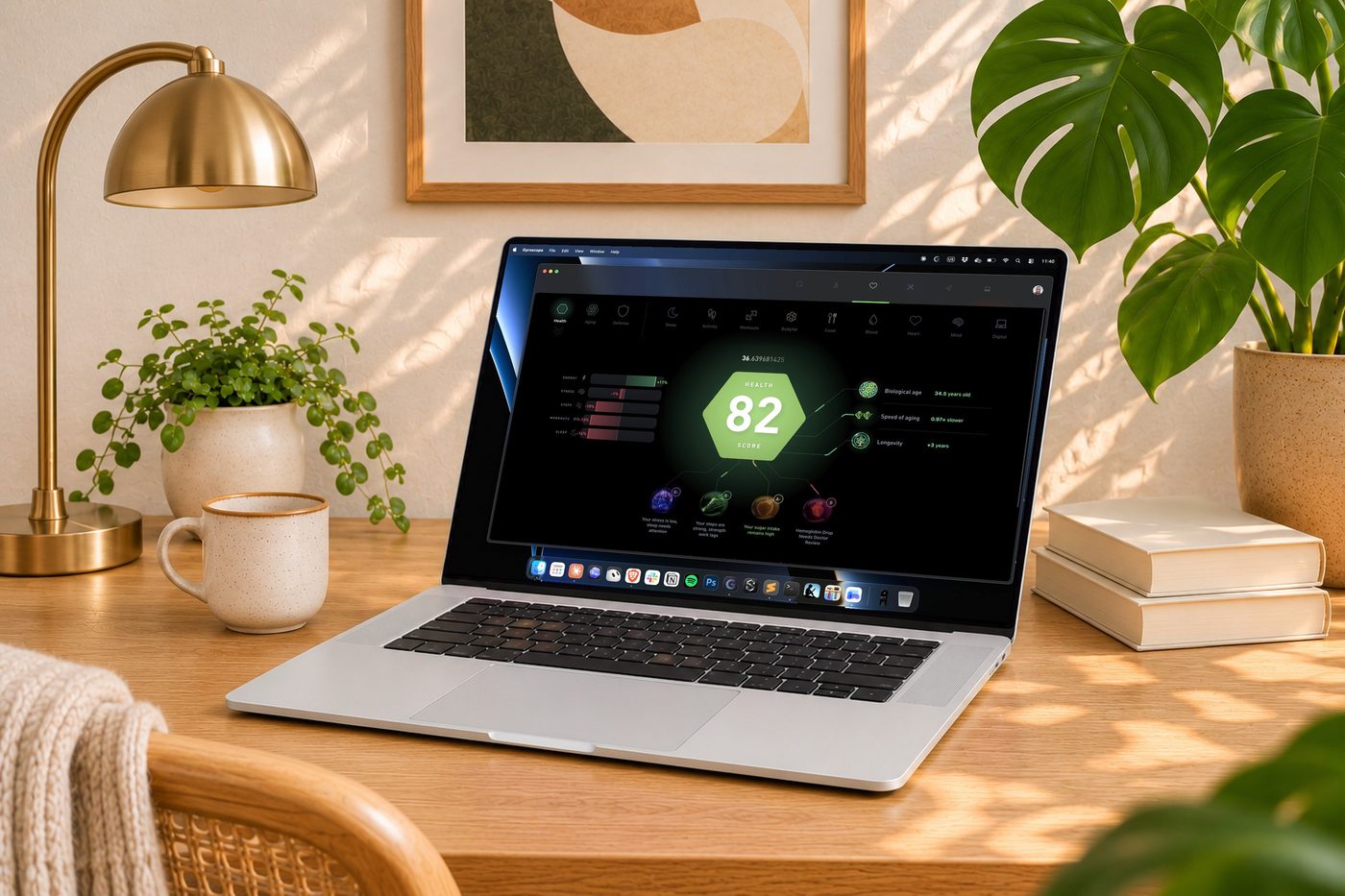
We’ve made this page more customizable than ever. Now you can set the background, color, dashboard and timing to make it exactly what you want to see every day.
You can even customize the body you want to use on the digital twin page.
Start eating healthy
See how your daily meals add up, with trends, grades and insights. Open the Food tab in the Desktop App to see your top meals and drinks on the big screen.
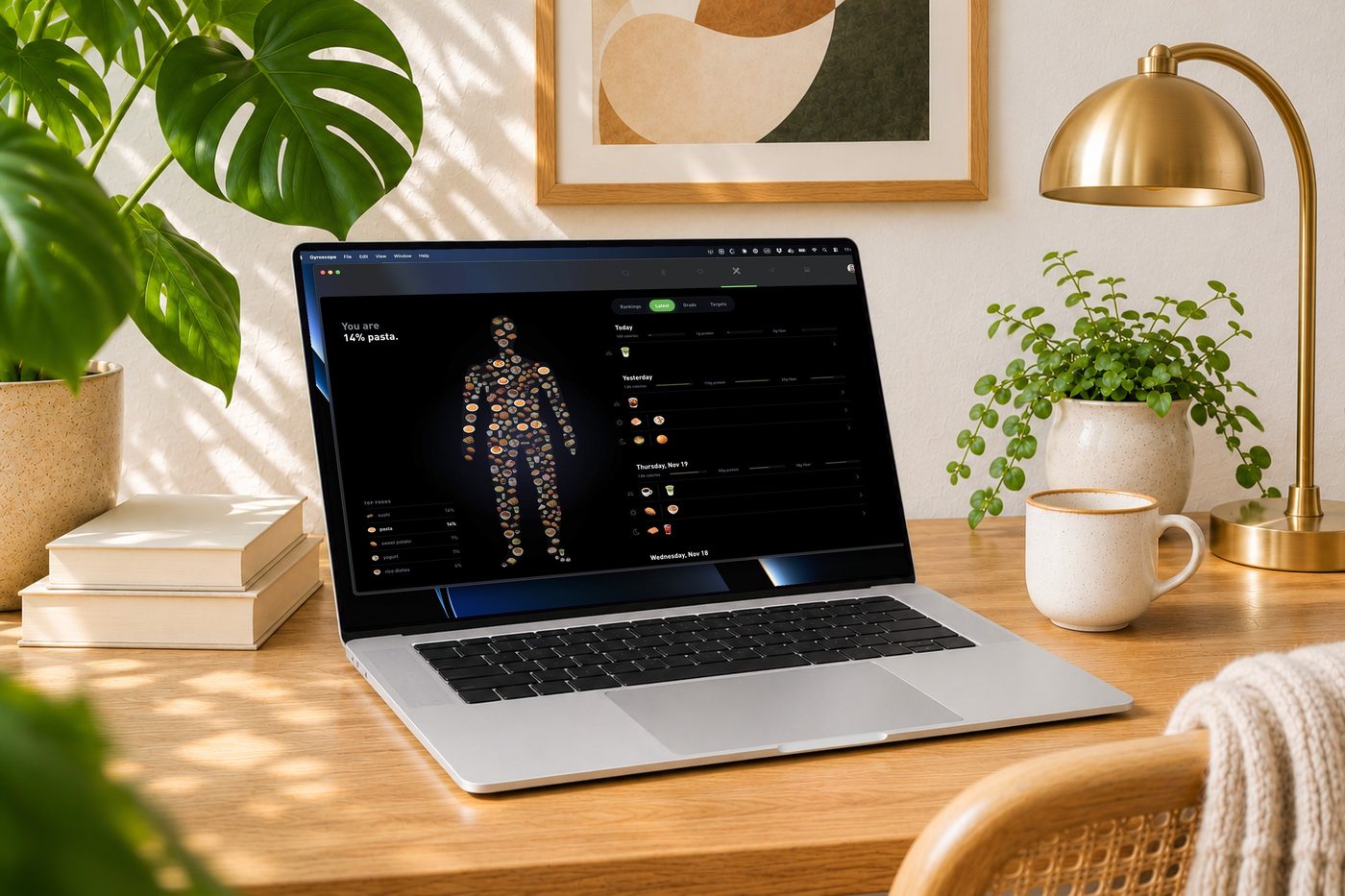
You are what you eat, so the Food tab shows your body made out of the foods you eat most. You can find the meals and drinks you have most often, check how your food grade is doing, and learn what to change to improve it.
To add a meal from your Mac, just tell your coach what you ate.
See your travels in one dashboard
Every city you have been to on a globe you can spin, with a timeline of each day and a page for each city. Easily relive your recent travels and see where you spend your time.
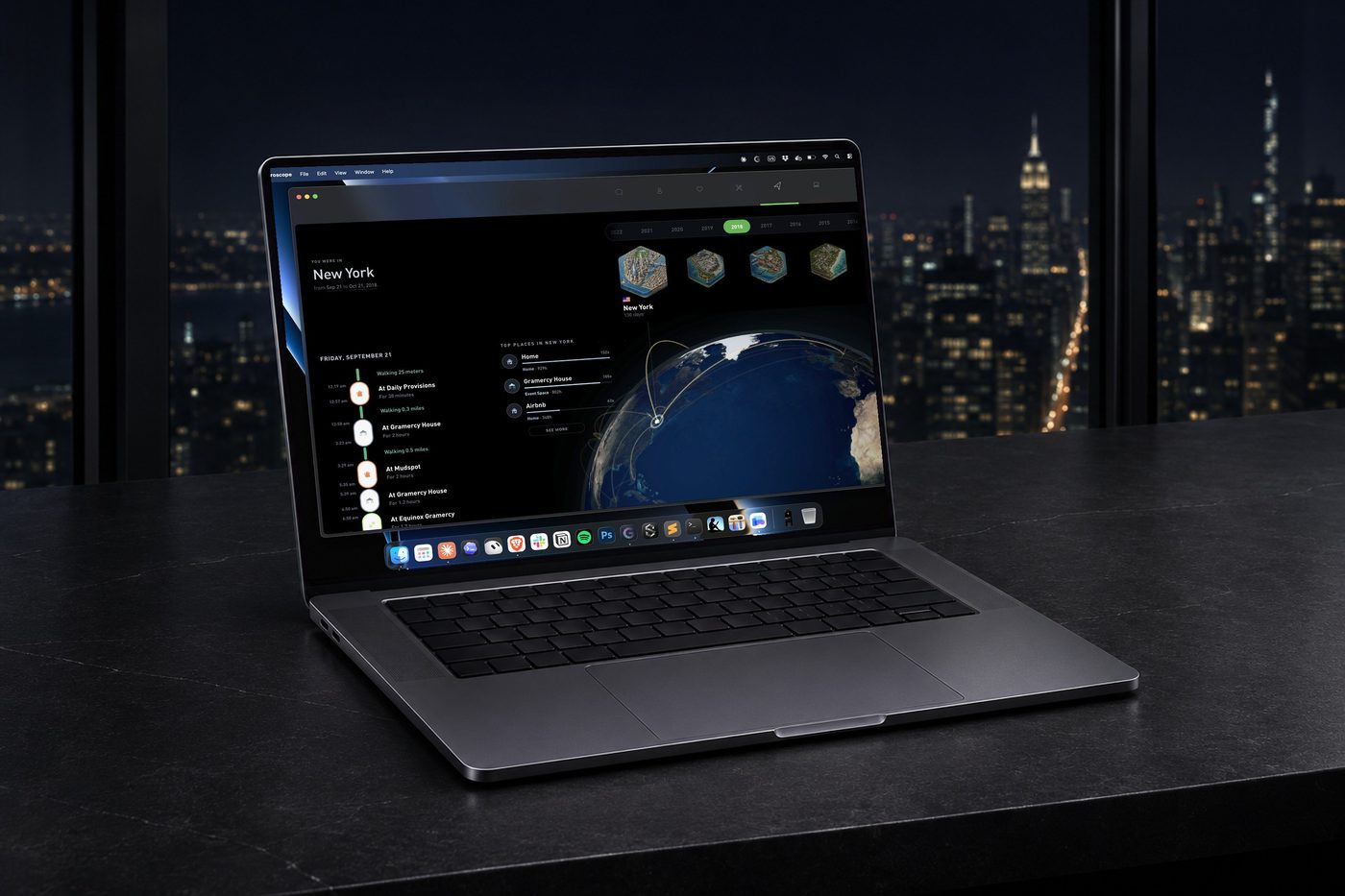
Gyroscope detects every city, trip and place as you go, so there is nothing to log. On the big screen you can look back at a trip from years ago, count the countries you have been to, or check where you spent last Tuesday.
See where your life journey takes you.
Chat with your coach!
You can always chat in app, or now you can also type on your computer. Your coach is always a few clicks away.
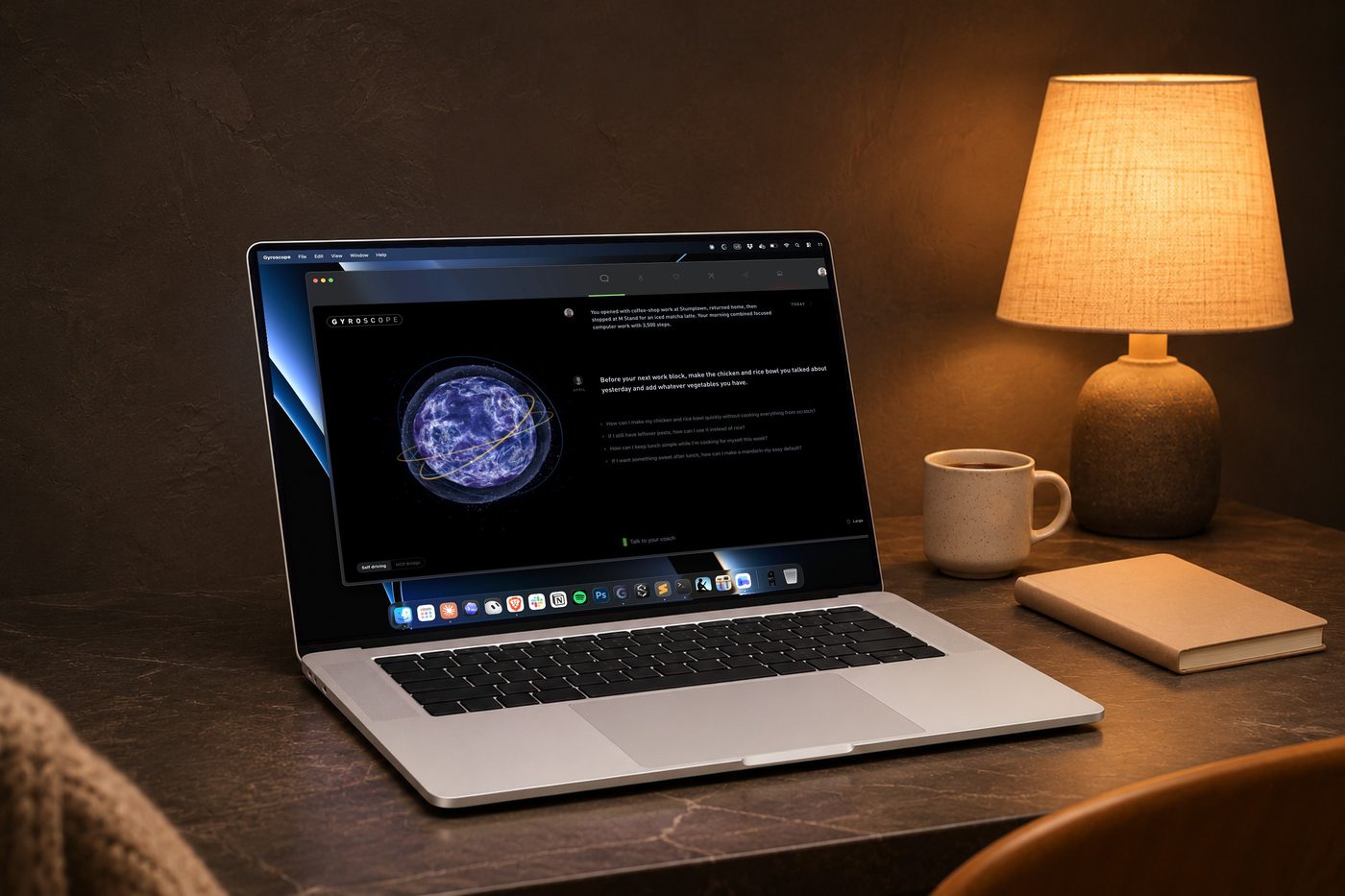
The Coach tab opens with a summary of your day and a next step. Start typing anywhere on the page and it jumps into the chat. Your coach looks through your sleep, food, workouts, labs and computer time while it answers, and you can watch it work.
It can log for you too, so just tell it “Log two eggs and toast for breakfast.”
Set it up in a few minutes
The Desktop App runs on Apple silicon Macs (M1 or newer) with macOS 14 or later.
- Download it from the Desktop page and open it. Gyroscope installs itself into your Applications folder.
- Sign in with your email or username.
- Open the Computer tab and follow the setup steps to turn on tracking. Your Mac will ask for a few permissions along the way.
If you already have the Desktop App installed, just open it and it will prompt you to update. Once you’re on the new version, future updates arrive automatically.
Let us know if you have any questions or need help getting set up.