
The new Places update is now available in the App Store, with the new passport design and smarter city detection.
Every city you visit gets its own page, and Places now works out which stops belong to the same trip. Your passport is on the web dashboard too, and there are improvements to tracking, identifying places and widgets.

In this update:
- The new passport design, with a page for every city
- Smarter city detection that combines airports, neighborhoods and spelling variations into one trip
- Your passport on the web dashboard
- Multiple transportation types in one travel, like walking and then taking the train
- More accurate travel tracking, and a fix for GPS drift splitting a visit in two
- An easier way to identify many places at the same time
- New settings to skip small stops
- Optimized layouts for iPhone Duo and better widget loading
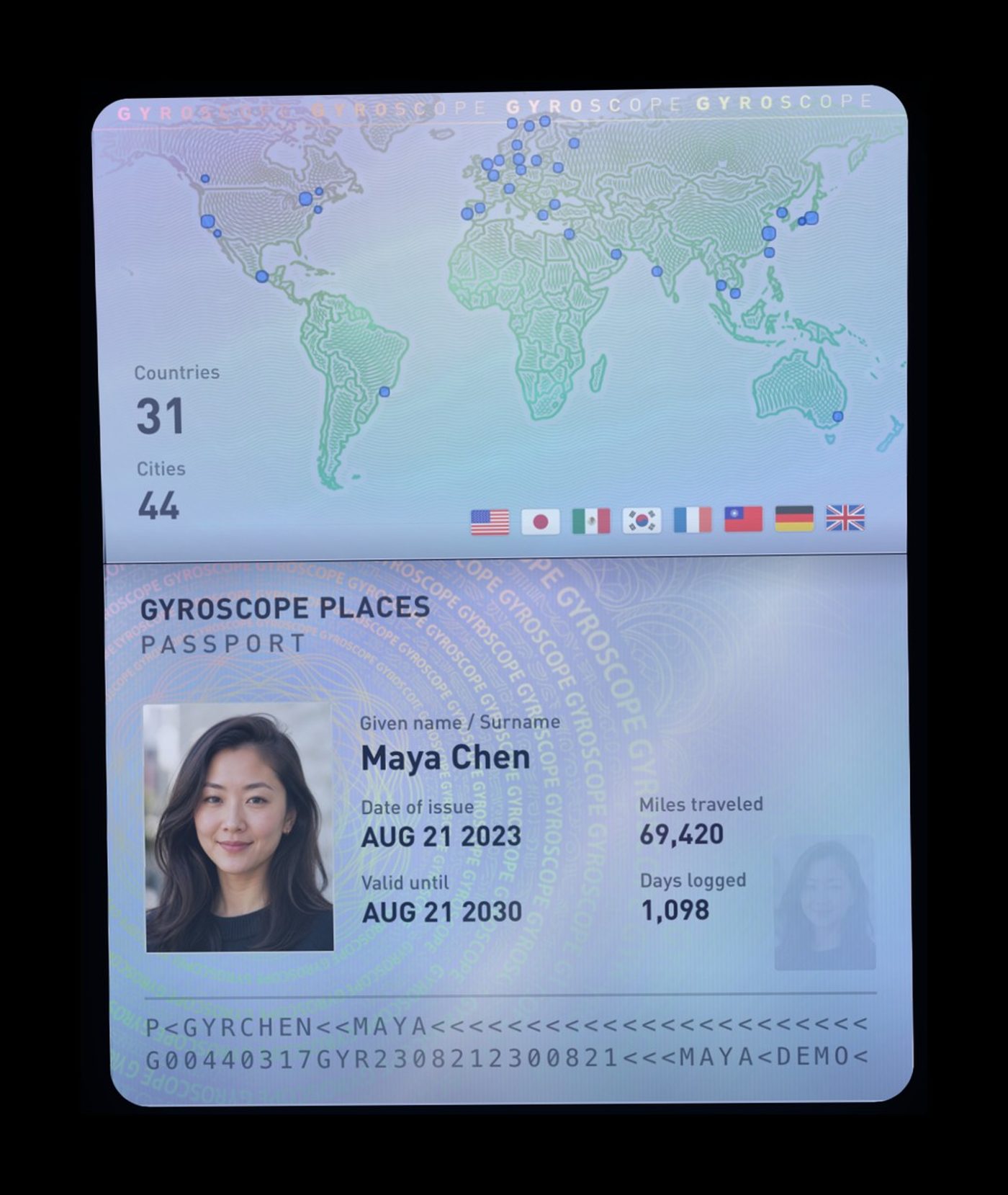
The new passport
Each city gets an illustrated tile, with detailed stats and custom maps of everywhere you went. A normal passport just has a stamp of when you entered, but with the Gyroscope passport you can save every place and travel of every day.
One trip, not three. Before, one trip to New York could show up as three or four separate cities. Fly into EWR, take the train into Manhattan, have dinner in Brooklyn, and your passport had Newark, New York and Brooklyn as separate stamps. A few hours in traffic could add Queens or a town in New Jersey, and later you’d look back and wonder when you were ever there.
Now Places works out what was significant. That whole trip is one New York tile, and the city page shows the individual cities and neighborhoods inside it. What counts as significant depends on you. If you live in New Jersey, your town still gets its own tile.

Land at Narita, take the train into Tokyo and stay in Shibuya, and your passport shows one Tokyo tile, with Narita marked Airport. Or if you live in San Francisco but commute to Cupertino every day for work, now these are all part of the same area.
Useful for paperwork too. If you ever try to give blood or get Global Entry or a visa, they may ask about every country you’ve been to in the last 5 to 10 years. Your passport keeps every trip with its dates, so you can look them up. And for tax purposes, how much time you spent in a place can be a very important number.
Made like the real thing. The card is lit by a custom holographic shader, so the light moves across the foil when you tilt your phone. The map page is drawn like a banknote, with engraved continents and an ink stamp for every country you have been to. And you can easily export it for sharing, in over 50 languages. Just don’t try to use it at the airport.
The new web dashboard
Now you can view your passport in the Places app, and also see a detailed history on the web dashboard. Sign in on gyrosco.pe, then go to your dashboard, open Places and choose Passport. Every city opens up into the neighborhoods and places inside it, with the days and visits for each one.
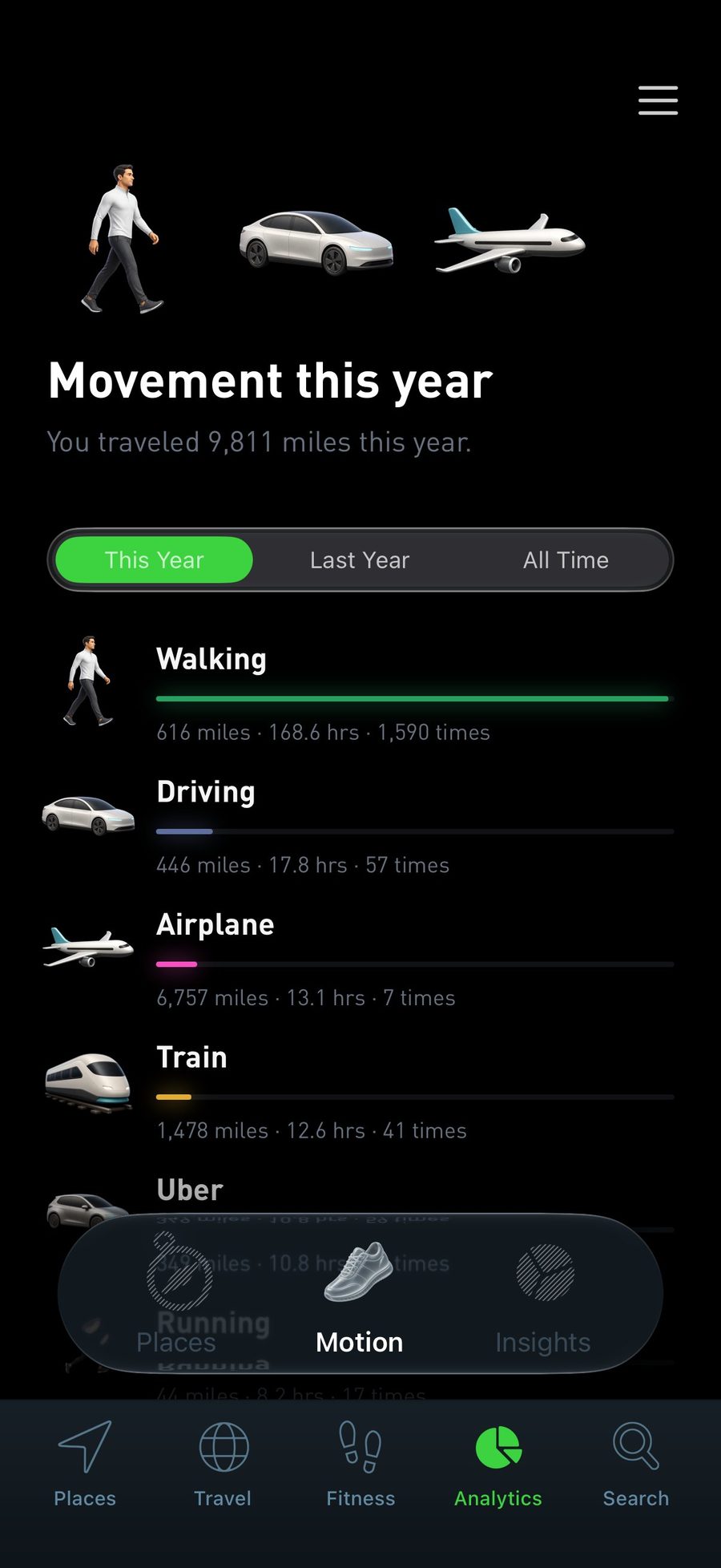
Tracking improvements
We have improved the accuracy and resolution of the tracking in this version, to better capture all of your journeys. Special thanks to everyone who wrote in with their feedback or shared bugs. With your help, we’ve been able to optimize the app for a wide variety of scenarios, as well as deal with various complex bugs that could cause issues with the tracking.
Multiple travels in one trip. If you have significant stretches of walking and other transport types, now they get split up more intelligently. For example, if you walk and then take a train.
Complete routes. Walks and drives now run all the way from the place you left to the place you arrived, without the line cutting off early.
Fewer phantom trips. Sometimes the phone location can have bugs or jump around to a nearby cell tower instead of where you actually are. This could mess with the timeline and look like you went for a drive somewhere. Now we detect and filter these incorrect travels out.

Other improvements
- Identify many places at once: the identify flow is rebuilt, so it’s much easier to name a lot of places at the same time. Visits to the same spot are grouped together, each group gets a letter on the map, and you can identify a whole group in one go.
- Skip small stops: new settings let you skip short stops, so a quick stop on the way somewhere doesn’t need a name. You can also skip one stop or all of them right from the list.
- iPhone Duo optimizations: layouts made for the bigger screen.
- Widgets: improved loading and refreshing, with the right icon for your current place.
Ready to download
The V1.3 update is available for download in the App Store. Give it a try, and if you’re liking the app please post a review!
Point your iPhone camera here to download