
Does Oura Ring 4 work with Gyroscope?
Yes. Gyroscope connects to Oura directly. We get sleep duration and stages, resting heart rate, heart rate variability, respiratory rate, blood oxygen, temperature deviation, readiness, steps, and workouts from your ring.
Connect your Oura account inside Gyroscope. No Apple Health hop is needed, which matters because Oura does not export HRV, blood oxygen, or temperature to Apple Health.
Applies to: Ring 4, Gen3, and Gen2 connect the same way.
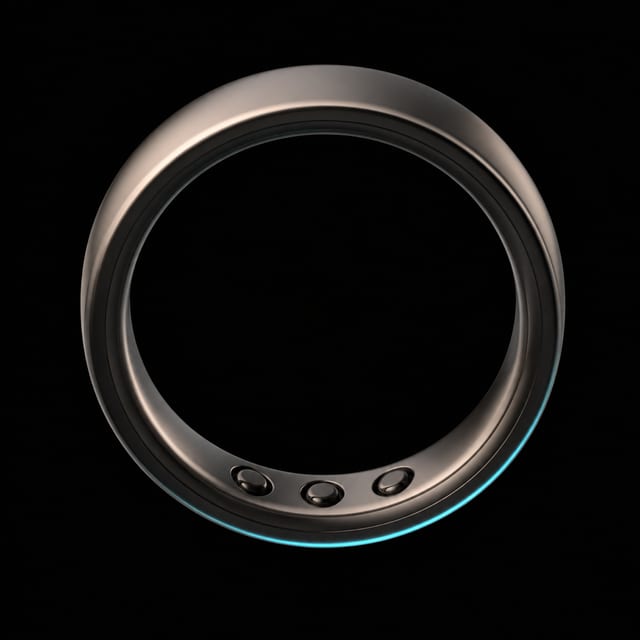
What we get
- Sleep duration and stagesBedtime, wake time, and Light, REM, and Deep stages.
- Resting heart rateNightly lowest and average heart rate.
- Heart rate variabilityNightly average HRV, the number Oura keeps out of Apple Health.
- Respiratory rateAverage breaths per minute overnight.
- Blood oxygenNightly average on Ring 4 and Gen3.
- Temperature deviationNightly skin temperature against your baseline.
- ReadinessOura’s daily readiness alongside Gyroscope’s own scores.
- Steps and workoutsDaily movement plus detected, recorded, and manually added workouts.
What stays behind
- Oura’s Sleep ScoreOura’s own sleep summary stays in its app. Gyroscope scores your sleep from HRV, resting heart rate, and duration.
How to set it up
- Set up the ring in the Oura app. Follow Oura’s setup instructions, wear the ring for a night, and open the Oura app so the first night syncs to your account.
- Connect Oura in Gyroscope. Open Gyroscope, open your data sources, choose Oura, and sign in to your Oura account. Keep the watch you wear all day selected as your primary device so nothing is counted twice. Apple Watch as primary and Oura for nights is the most common setup.
- Check your dashboard. After the next Oura sync you should see last night’s sleep with stages, your HRV, and your resting heart rate. The sleep and heart grades in Health Score fill in over the first week.
- Sleep
- HRV
- Resting heart rate
- Readiness
- Temperature
What you can do with it
Read weeks, not nights.
The ring is very good at when you slept and how your heart behaved. Stage-by-stage calls on a single night are softer, so look for patterns across a week before you change anything.
The evidence. Altini and Kinnunen, Sensors, 2021. Against laboratory polysomnography, the Oura ring’s four-stage sleep classification agreed about 79% of the time, strong for trends and weaker for any one night.
Insider tipSleep Battery carries a seven-night rolling debt for exactly this reason. One bad night barely moves it. Three do.
Watch temperature and resting heart rate together.
A temperature deviation plus a resting heart rate a few beats above your norm is the earliest sign you are fighting something. Back off training that day and see what the next night says.
The evidence. Mason et al., Scientific Reports, 2022. In the TemPredict study, temperature deviations from the Oura ring flagged the onset of fever, often before participants reported symptoms.
Insider tipBoth values arrive through the direct connection, so this is the one setup where Gyroscope can show them on the same day. Apple Health alone would drop the temperature.
Run the alcohol experiment once.
Nothing shows the ring’s value faster than two drinks in the evening. HRV drops, resting heart rate climbs, and deep sleep shrinks, all visible the next morning.
The evidence. Windred et al., Sleep, 2024. In 60,977 people, a regular sleep schedule predicted lower mortality more strongly than sleep duration did, and evening alcohol is one of the most common things that breaks the schedule.
Insider tipThe avoid alcohol lab compares alcohol-free nights against your own baseline, and the correlations view can run HRV against drinks with the best lag.
Keep the watch as primary if you wear both.
A watch and a ring together is a great setup: the watch owns the day, the ring owns the night. Gyroscope deduplicates against whichever you mark as primary.
Insider tipIf you see a different sleep graph in Apple Health, that is Apple rounding and re-timing Oura’s export. Gyroscope reads Oura directly, so it shows what the ring recorded. More in why Oura HRV is missing in Apple Health.
Ask your coach what the numbers mean.
With a membership, an AI coach reads this data every morning and writes you a report before you are out of bed. It answers from your own numbers, not from generic advice. Ask why your readiness is low on Mondays and it will look at your weekend bedtimes, drinks, and workouts. Health Score shows how your sleep and heart grades feed your overall longevity estimate.
Common questions
Does Oura send HRV to Apple Health?
No. Oura’s official export list does not include HRV, blood oxygen, or temperature. That is why Gyroscope connects to Oura directly.
Should I connect both Oura and Apple Health?
Yes. Apple Health remains your primary-device foundation, and the direct Oura connection brings the ring’s full set. Gyroscope deduplicates the combined timeline.
Does the ring need to be open in Gyroscope?
No hardware pairing happens inside Gyroscope. The ring syncs to the Oura app and account, and Gyroscope connects to Oura as a data source.