
Does WHOOP work with Gyroscope?
Yes. Gyroscope connects to WHOOP directly, including its nightly HRV measurement. WHOOP supplies one RMSSD value for the night. Apple Health is also an optional route for supported WHOOP data.
Connect your WHOOP account in Gyroscope to bring in nightly HRV. The direct connection and WHOOP’s optional Apple Health sync provide different data, so check which route you have connected.
Applies to: WHOOP 5.0, WHOOP MG, and WHOOP 4.0.
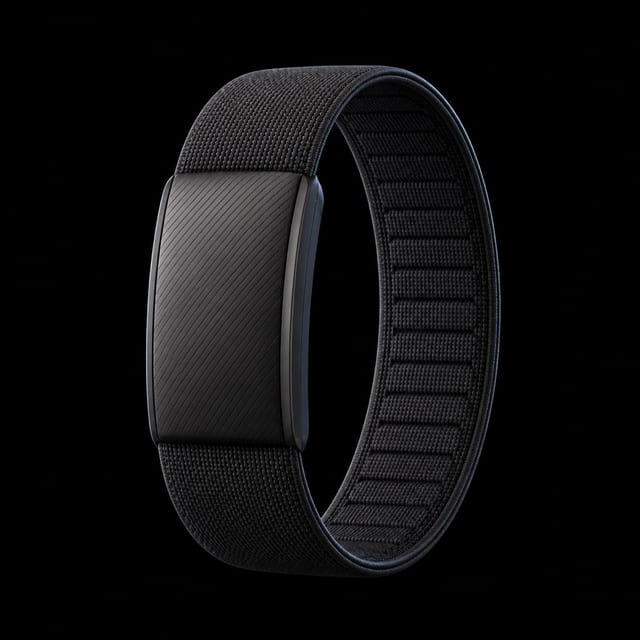
What we get
- Nightly HRVOne RMSSD measurement for the night through the direct WHOOP connection.
- Sleep sessionsAlso available through WHOOP’s optional Apple Health sync.
- Heart rateSleep and workout readings are also available through Apple Health.
- Resting heart rateAlso included in WHOOP’s supported Apple Health export.
- Respiratory rateNightly average, also available through Apple Health.
- Blood oxygenAvailable through Apple Health on supported WHOOP hardware.
- WorkoutsAuto-detected and recorded activities can also arrive through Apple Health.
- Active energy and stepsAvailable through Apple Health; steps must be enabled in WHOOP settings.
How to set it up
- Connect your WHOOP account. Open your data sources in Gyroscope, choose WHOOP, and sign in to authorize the connection.
- Check your optional Apple Health connection. For data arriving through Apple Health, enable WHOOP’s Apple Health integration and connect Apple Health in Gyroscope. Nightly WHOOP HRV uses the direct connection.
- Check your nightly HRV. After WHOOP has processed your sleep and Gyroscope has synced, look for the nightly HRV measurement. A pending or unscorable recovery may not have an HRV value yet.
- Nightly HRV
- Sleep
- Resting heart rate
- Workouts
What you can do with it
Compare your nightly HRV with its own history.
WHOOP’s RMSSD is useful for following recovery across nights. Read it alongside sleeping heart rate, sleep timing, recent workouts, and how you feel.
The evidence. WHOOP’s Recovery documentation identifies the HRV field as RMSSD and associates it with a sleep cycle.
Insider tipOne nightly HRV value cannot show when HRV rose or fell during sleep. Treat it as a nightly summary rather than a continuous curve.
Trust the timing more than the stages.
WHOOP’s bedtime, wake time, and overnight heart rate hold up against the lab. Its stage calls are softer, and they do not cross to Apple Health anyway, so build your habits around timing.
The evidence. Miller et al., Journal of Sports Sciences, 2020. Against polysomnography, WHOOP’s sleep timing and overnight heart rate tracked the lab closely, while stage classification was less reliable.
Insider tipBedtime consistency is a correlation you can run today: bedtime against sleep duration, with the best lag shown.
Make regularity the goal.
With duration and timing arriving every night, the most valuable thing to fix is the spread of your bedtimes across the week.
The evidence. Windred et al., Sleep, 2024. In 60,977 UK Biobank participants, sleep regularity predicted mortality more strongly than sleep duration did.
Insider tipThe consistent wake time lab runs this against your own baseline so the result is yours, not a population average.
Give WHOOP the night and the watch the day.
If you also wear an Apple Watch, its repeated readings can add daytime context alongside WHOOP’s nightly summary. Check the measurement method before comparing their HRV numbers.
Insider tipFor missing nightly HRV, check the direct WHOOP connection. For missing Apple Health data, check that route’s permissions separately. More on two trackers in wearing WHOOP and Oura together.
Ask your coach what the numbers mean.
With a membership, an AI coach reads this data every morning and writes you a report before you are out of bed. It answers from your own numbers, not from generic advice. Ask why your resting heart rate climbed this week and it will check your sleep timing, workouts, and what you logged. Health Score shows how your sleep and heart grades feed your overall longevity estimate.
Common questions
Is there a native WHOOP integration?
Yes. Connect your WHOOP account directly in Gyroscope, including for nightly HRV.
Why is my WHOOP HRV missing?
Check that WHOOP is connected directly to Gyroscope, rather than relying only on Apple Health. WHOOP must finish processing a scorable recovery, and Gyroscope must sync it before the value appears.
Why is there only one HRV value for the night?
The current WHOOP connection supplies its nightly recovery RMSSD summary. It supports comparisons across nights, but does not provide an HRV curve within the night.