
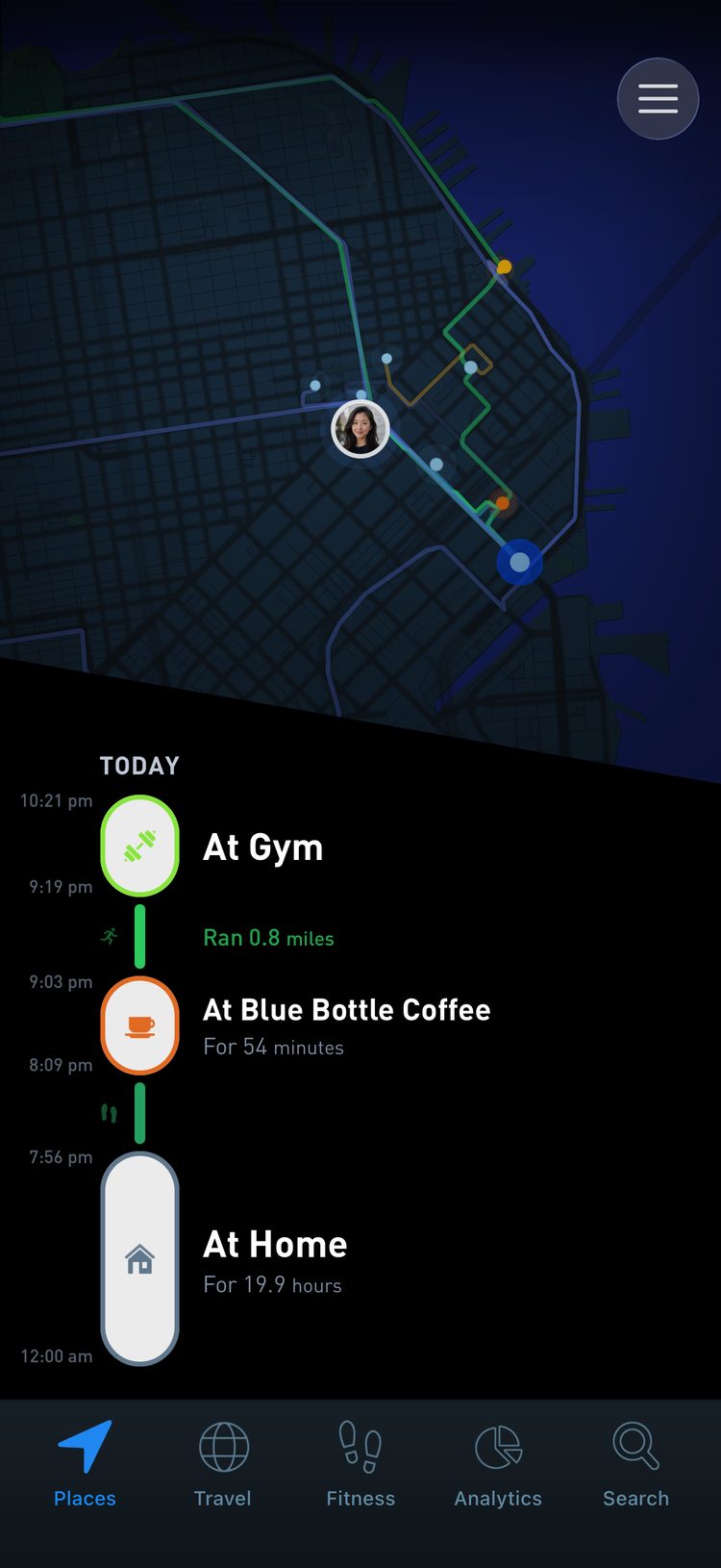
Life is not only where you are, but how you got there. Most apps log a trip as a line from A to B. Places records the movement itself: walking, running, cycling, driving, trains and flights. Your timeline becomes one continuous story of the day instead of isolated pins.
You do not check in, start a workout, or remember to open the app. This guide explains what is being recorded and how to get the most from it.
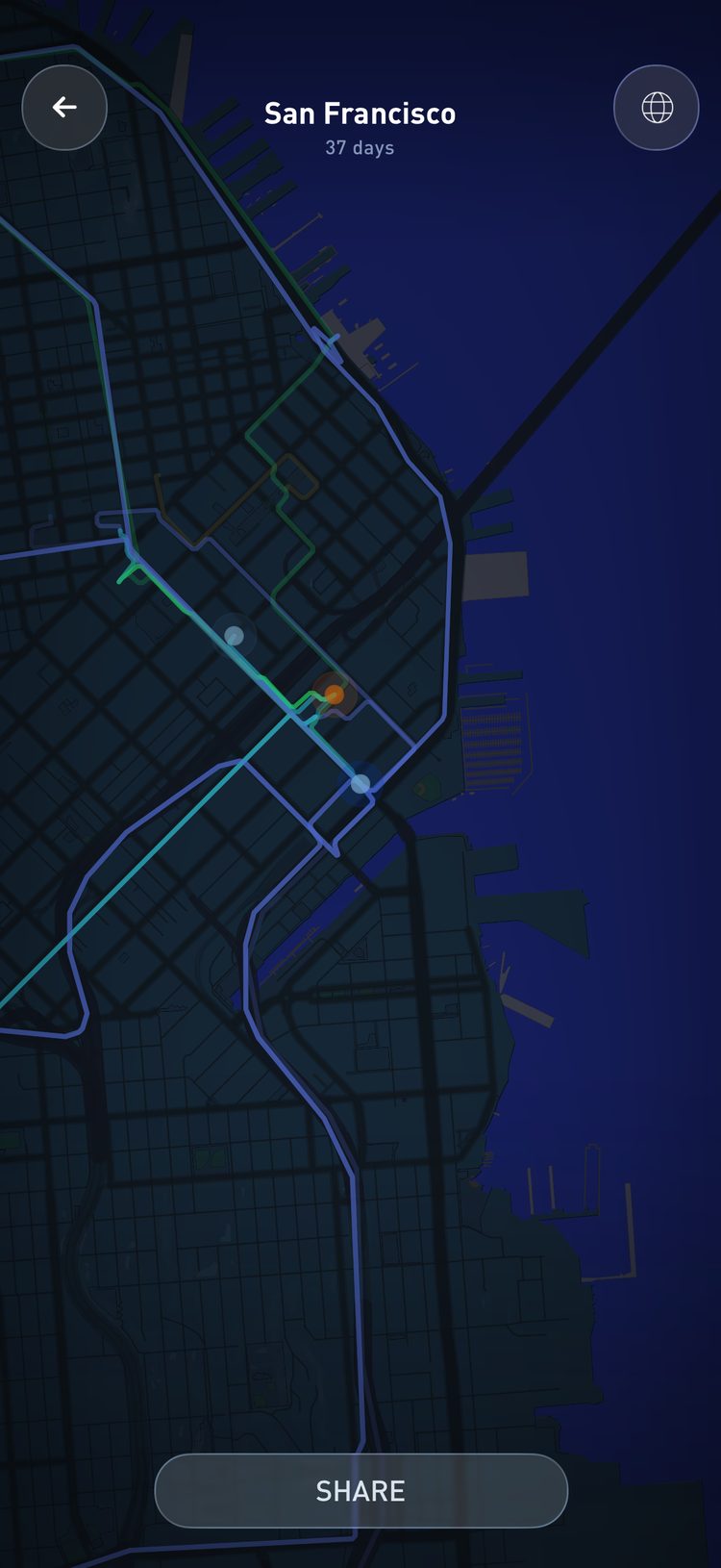
How movement is detected
Your phone already receives GPS, cell tower and WiFi signals, and reads its own motion sensors. Places combines them to work out two things: your speed, from a slow walk to a run to highway driving, and your pattern, whether steady, stop and go, or long distance.
From those it infers a travel type:
- Walking or running
- Cycling
- Driving, or a similar vehicle
- Train or subway
- Airplane
Easy on your battery
Continuous GPS drains a battery when it is done naively. Instead of pulling a fresh location all day, Places reuses signals your phone is already collecting, adapts to whether you are moving, and captures detail only when it is needed. When you are clearly staying put, tracking pauses or slows down.
The result is a detailed travel history that does not cost you your battery.
Getting complete days
Set location access to Always, keep Precise Location on, and avoid force quitting the app. If a day looks thin, those settings are the first thing to check.
What is automatic and what is not
Many travel types can be read from speed and pattern alone. Slow speeds with frequent stops mean walking. Moderate speeds on city streets mean a car or something like it. Sustained high speed over a long distance means a flight.
What cannot be guessed is the context. Your own car, a taxi, an Uber, a bus and a tram can all look the same. For those, open the travel in your timeline and change its type. Like place confirmations, corrections keep your history accurate.
Boats, skis and helicopters
Beyond the everyday modes you can tag a ferry, a sailing trip, a ski day, a surf session, a helicopter ride, and more. These are not detected automatically, but you can set them in the editor, so your timeline can reflect nearly any way you move through the world.
On the move
On the road
In transit
In the air
High seas
The slopes
Fitness and health
Travel lines are real activity. Walking and running show how often you are on your feet, and you can compare your movement with common guidelines like 10,000 steps a day. Over time the difference between an active commute and a passive one becomes obvious, and you can see how small choices, walking instead of driving, stairs instead of the elevator, add up.
A 2022 pooled analysis of 15 studies and 47,471 adults found that mortality risk fell with more daily steps and then leveled off: around 6,000 to 8,000 steps a day for people 60 and older, and around 8,000 to 10,000 for younger adults. (Paluch et al., The Lancet Public Health, 2022). Below 5,000 is where extra walking does the most; past 8,000 or so, more is fine but the health return flattens.
Among 263,450 UK commuters followed for five years, those who cycled to work had a 41% lower risk of dying from any cause than those who drove or took public transport, and those who walked had a 27% lower risk of cardiovascular disease. (Celis-Morales et al., BMJ, 2017). Places separates your active commutes from the passive ones, so you can see which kind of week you had.
Mileage and taxes
For some people an accurate travel history is also a financial record. Your driving history shows roughly how many miles you covered by car, lets you separate personal trips from business ones, and can support your records for mileage deductions, like IRS business mileage in the US.
If you use it this way, check the type of each trip and make sure business trips are clearly logged and named.
Your default vehicle
Vehicle trips are logged as Driving by default. Not everyone drives. You might ride the bus, take trains, or use Uber and taxis most of the time. In settings you can change your default travel type to match your life. Most of your days then log with the right context, and you only edit the exceptions.
Route snapping and smoothing
GPS is messy. Tunnels and tall buildings interfere. Low Power Mode can pause background tracking, and some days another app takes the resources and the system stops our updates.
Places Unlimited members can edit recent travels to fix this. Route snapping pulls a line onto the correct roads or paths. Route smoothing cleans up zigzags and jumps so the route matches what happened.
History, limits and privacy
A detailed travel history is a lot of GPS points, and storing and securing them has a real cost. Free members keep the last 30 days of travel history. Places Unlimited keeps all of it.
On every plan your raw travel data stays private in your account, and you choose what to share. The privacy guide covers the details.
The short version
- Keep the app installed and allowed to run in the background.
- Open it every day or few days to sync, fix odd trips, and tag special journeys.
- If you rely on it for fitness or taxes, double check the trips that matter.
- Use the editing tools when you want a route to be exact.