
Places keeps a timeline of where you spend your days.
Each stop becomes a visit with a name and an icon, like home, the cafe on the corner, your gym or the gate before a long flight.
Once it knows your routine, the app names most of those stops by itself. This guide explains how it learns, and how a few minutes a day in your first week lets it handle the months that follow.
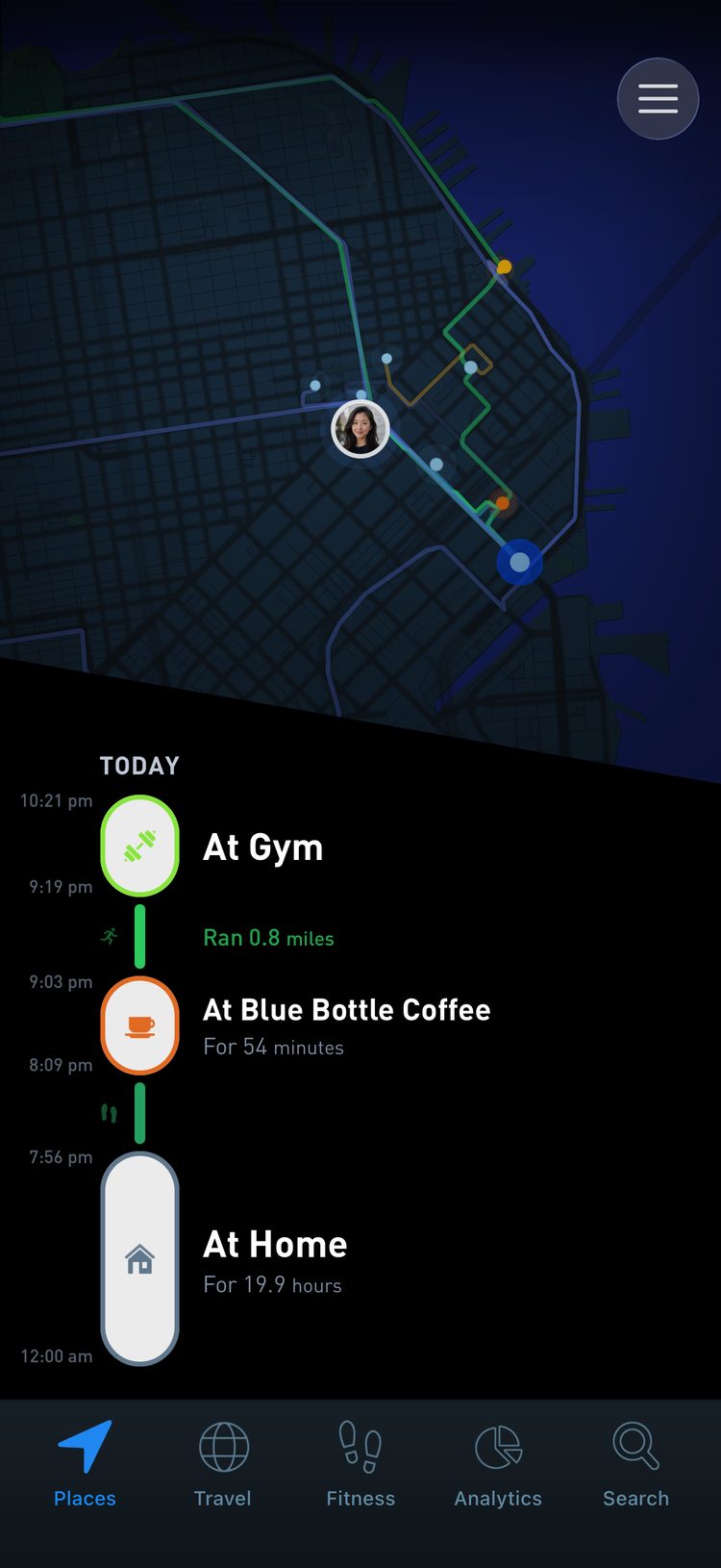
Using phone geolocation tracking, mood check-ins and brain imaging, researchers found that on days when people moved through a wider variety of physical locations they reported more positive feelings, and the link was strongest in people with tighter coupling between the hippocampus and striatum. (Heller et al., Nature Neuroscience, 2020). A named timeline shows how varied your weeks are, and when life has narrowed to the same few spots.
How a stop becomes a place
When you stay somewhere for a few minutes, your phone collects a small cluster of location points. Places turns that cluster into a visit, then looks up what is nearby in the Foursquare database, which covers millions of venues around the world.
One spot can hold many venues. A park, a restaurant, the cafe next door and an office upstairs can all sit within a few meters of each other.
Even precise GPS cannot tell which door you walked through.
So a new spot first appears on your timeline as an Unidentified place. Tap it and Places asks Where was this?, with a list of nearby venues. The right one is usually at or near the top.
In dense areas like downtown New York there can be thousands of venues on a single block. There you may need to type a few letters into Search nearby. If the place you want is a little further away, the search looks beyond the closest places too.
Each venue comes with a category, like cafe, gym, park or airport, and the category sets its icon. Your map shows at a glance what kind of place every stop was.
Your first week teaches it your routine
For the first few days almost everything is new, so most stops arrive unidentified.
When Places finds them, a bar at the top of your timeline says how many new places it found. Tap it to open New places, a list of the unidentified stops from the last two days. Work through them until it tells you that you are all caught up.
Every place you confirm is one the app knows from then on.
On your next visit it weighs how close you are to the places you have confirmed, how often you go there and when you were last there, then fills in the name on its own. Your own confirmations count for more than its guesses, so a few days of naming goes a long way.
Most people move between the same handful of places week after week, which is why this training period is short. After the first week, the app names most of an ordinary day without any help.
Across 50,000 mobile phone users followed for three months, where each person would be next was 93% predictable on average, and the figure barely changed between people who stayed local and people who covered long distances. (Song et al., Science, 2010). Most of a routine repeats, which is why a week of naming places is enough for Places to recognize most of your days.
Name places while you still remember them
Naming yesterday’s lunch spot takes a second. Working out where you stopped for an hour last spring takes a lot of guesswork, and some stops become impossible to place once enough time has passed.
The New places list only holds the last two days. Older stops wait on your timeline, where you have to find them one at a time.
Day to day, the habit is small. Open the app once a day or every few days, let it sync and clear your new places.
After a day with several new stops, Places may send an evening reminder. You can also press and hold the app icon and choose New Place to open the same list.
Across multi-year location traces from about 40,000 people, each person kept roughly 25 familiar places at any one time, and the set kept changing while its size stayed about the same. (Alessandretti et al., Nature Human Behaviour, 2018). The list of places worth naming is shorter than it looks, and it changes slowly as your life does.
Travel is when it helps most to keep up. A new city, a new country or a road trip brings dozens of new places at once, so name them at the end of each day while you still remember the details.
Custom places for home, friends and everything else
Some places are missing from the database. Your home, a friend’s apartment, a small business, a new opening or an obscure trailhead may not be listed.
Try a broader search first, like “Coffee Shop” or the name of the neighborhood. If nothing fits, tap Create a custom place at the bottom of the list. Give it a name, then choose a category, which sets its icon.
Home is one of the quick options when you create a custom place. Over the years you may live in more than one home, so a specific name helps later on: “Alamo Square Apartment”, “Greenpoint Loft”, “Kyoto House”.
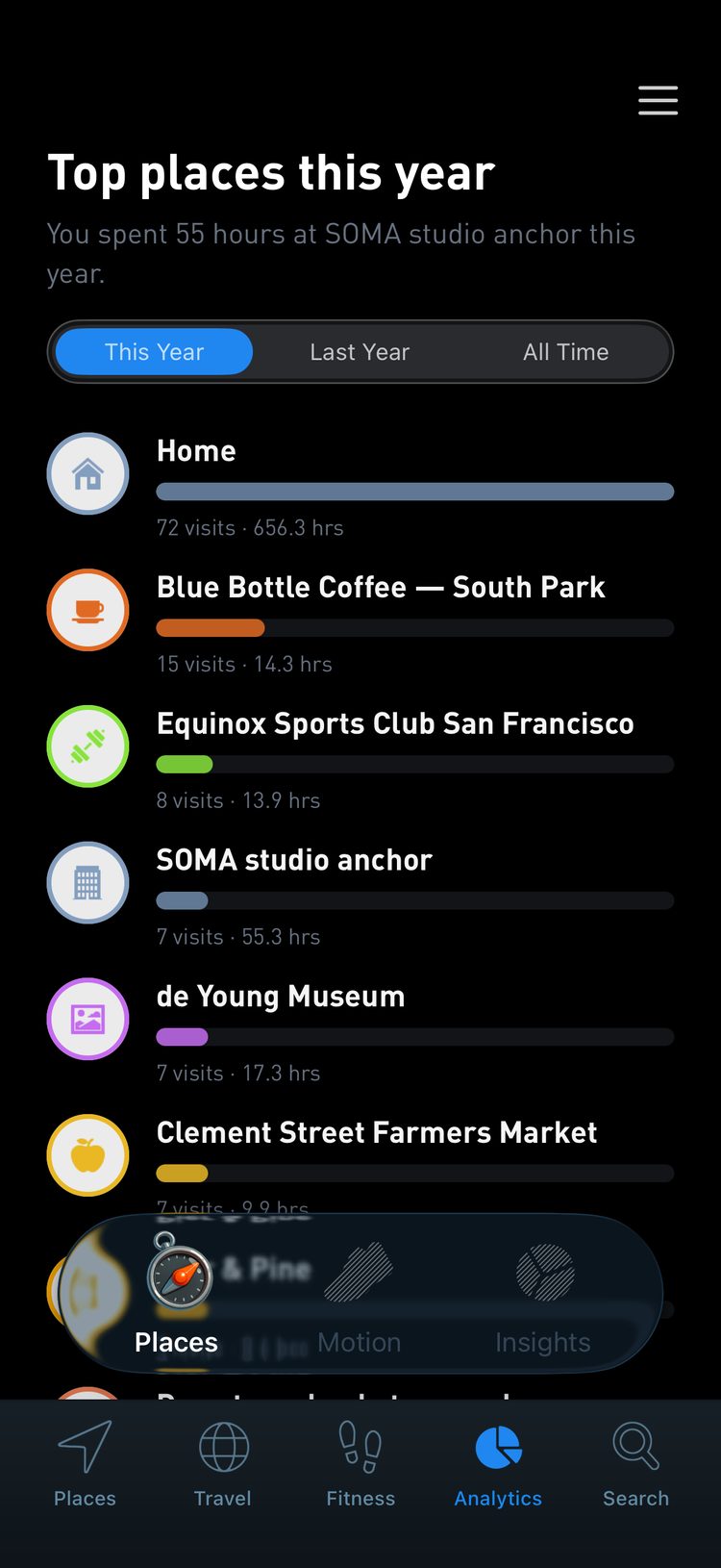
When the phones of 72 students logged location and mood for two weeks, days with more negative and fewer positive feelings went with more time at home, and for more socially anxious students a bad day predicted more time at home the next day. (Chow et al., Journal of Medical Internet Research, 2017). With Home named, Analytics shows the hours you spend there next to every other place, so a stretch of days spent mostly at home is easy to spot.
A friend’s home works the same way. Use the name you would say out loud, like “Alex’s house”.
You can change a custom place later. Open the account menu and tap Custom spots to see every custom place you have created, grouped by the year you added it. Tap one to rename it, change its icon or open its analytics. Custom spots is included with premium.
If a custom place sits a little off from where it really is, open one of its visits and tap Adjust position.
If you would rather not log a stop at all, open it and tap Delete this visit. The trips on either side join into one.
Your timeline stays private in your account, but the names you choose appear in anything you share. A screenshot or a share card shows those names, so “Home” gives away far less than “123 Main Street Apartments, Unit 4F”.
The sharing guide has more on posting your places safely.
What a named timeline gives you
Named places turn coordinates into memories.
A stop that would sit on a map as 35.002, 135.754 becomes lunch at your favorite ramen shop. A string of dots becomes the walk from home to the river.
In seven patients with implanted brain electrodes, neurons that fired at specific spots in a virtual town fired again when the patients later recalled the items they had delivered there. (Miller et al., Science, 2013). Memories carry the place where they happened, which is why a named stop can bring back the rest of the afternoon.
With your places named, Analytics ranks them by visits and hours, from this month back to all time, and groups them into categories like coffee shops, gyms and parks.
Each place gets its own page with the days you were there, your busiest day and your first and last visit.
Your Global Passport fills in with accurate cities and countries. Flights are detected by pairing the airports at each end, so it helps to name airports when you travel.
In a survey of 19,806 adults in England, people who spent at least 120 minutes a week in nature had 59% higher odds of reporting good health and 23% higher odds of reporting high wellbeing than those who spent none, and it did not matter whether that was one long visit or several short ones. (White et al., Scientific Reports, 2019). Once your parks and trails are named, that weekly total is something you can see.
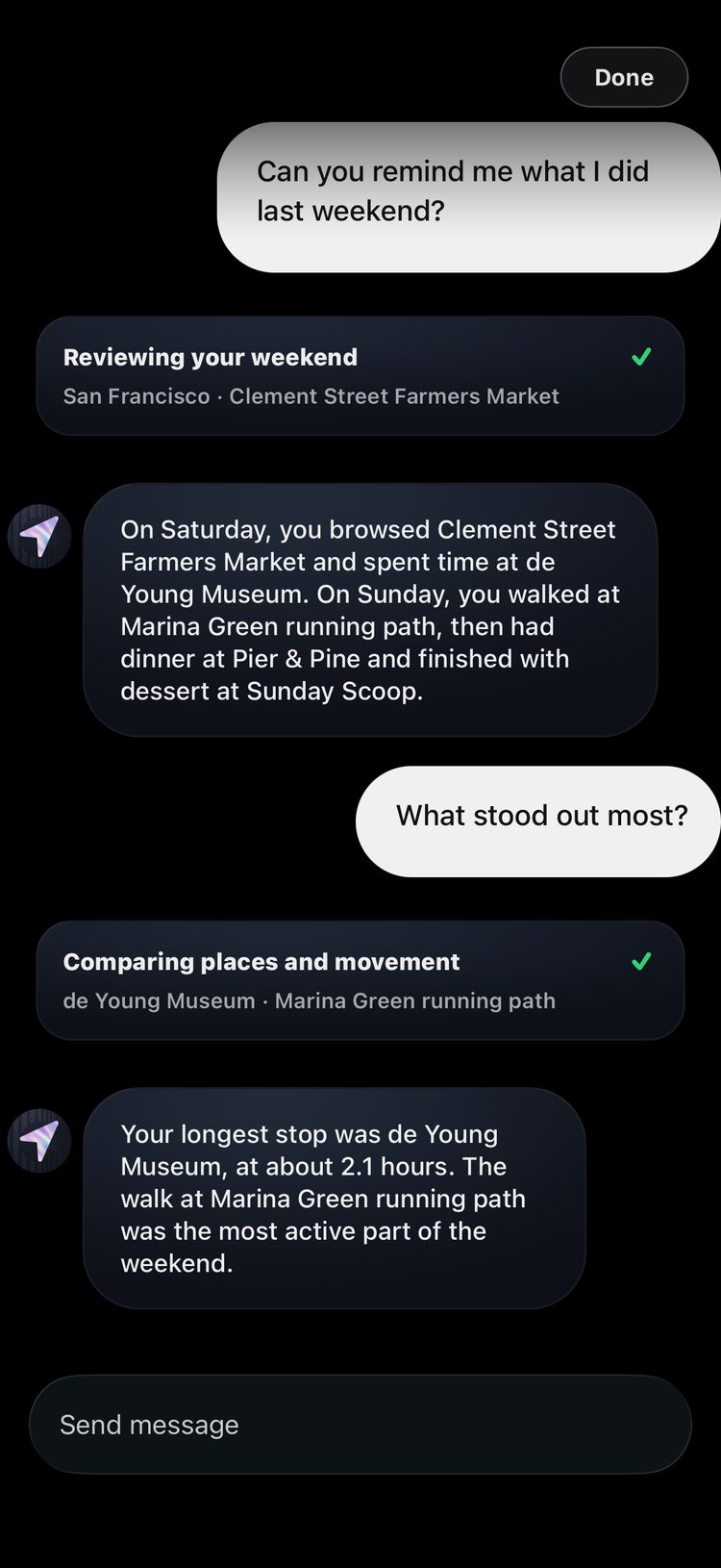
With a premium membership you can also ask the coach in the Search tab about your own history, like what you did last weekend or how far you have traveled this year. It answers from the places you named.
The short version
Treat your first week as setup and clear your new places once a day. Always name:
- Home
- Work, or your main workspace
- Favorite cafes and restaurants
- Gyms and other regular routines
- Hotels and airports while traveling
Delete the small stops that do not matter to you, and choose names that will still make sense when you look back years from now.