
Places records how you move between your stops: walks, runs, bike rides, drives, trains and flights.
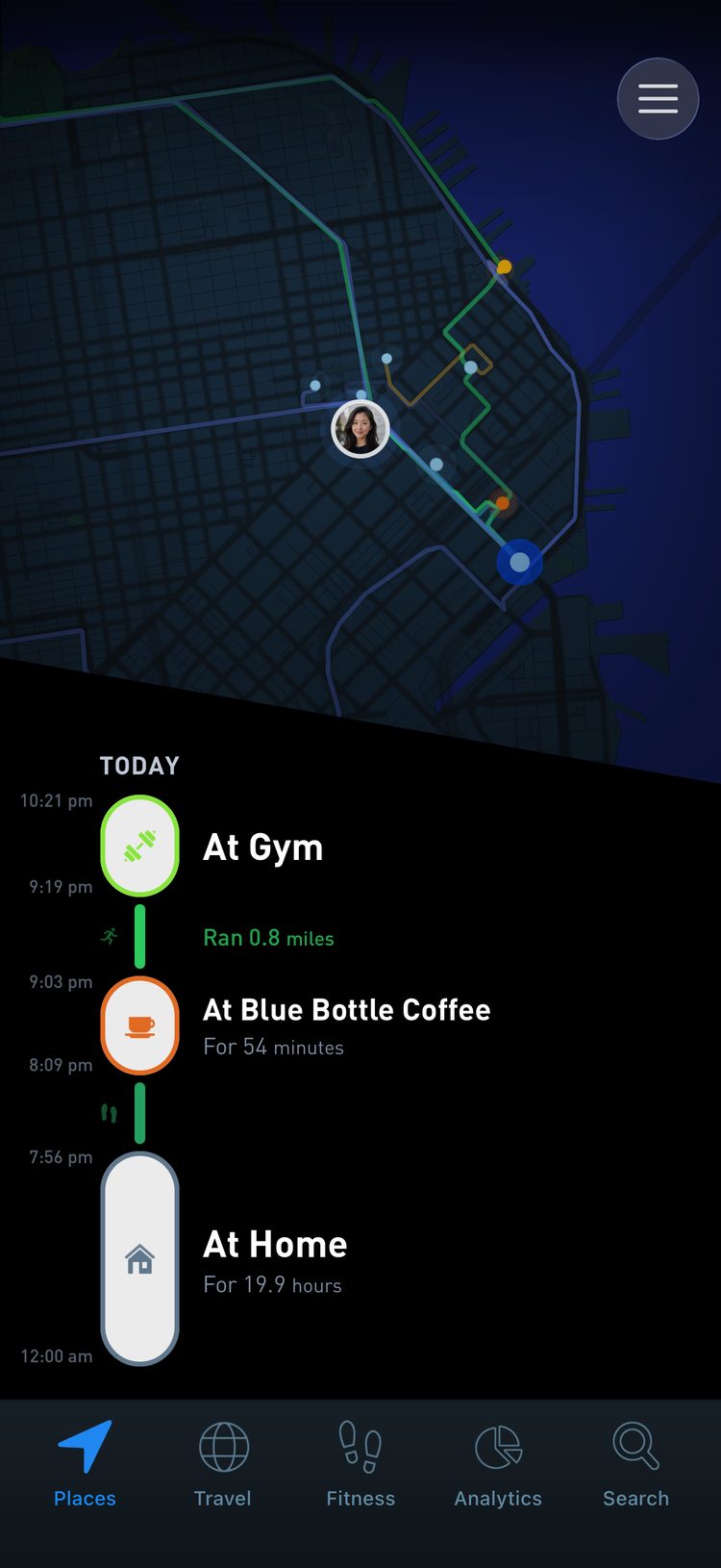
Each day on your timeline becomes one continuous line, with every stop and every trip in order.
You do not check in, start a workout or remember to open the app. This guide explains what gets recorded, how to get complete days and how to fix a trip when the app guesses wrong.
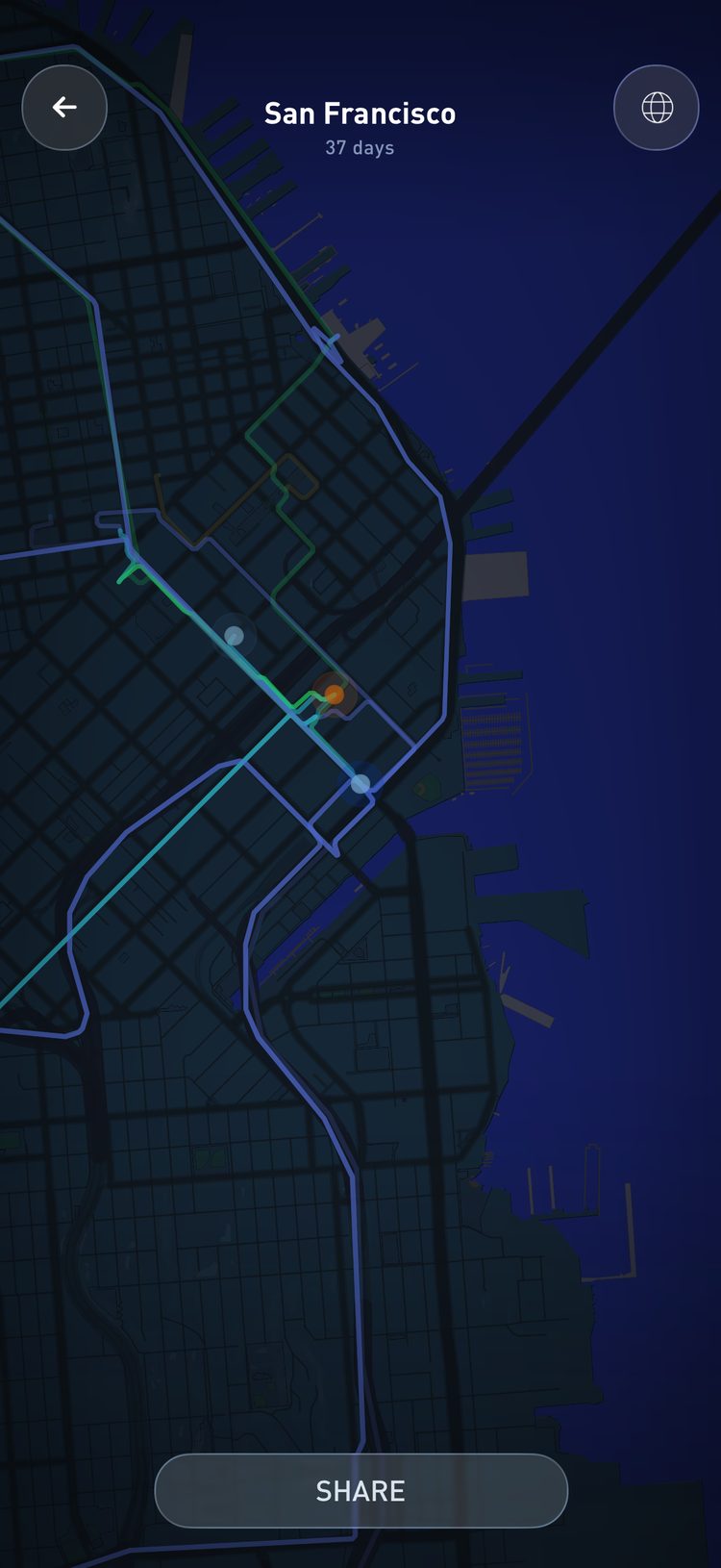
Among 263,450 UK commuters followed for five years, those who cycled to work had a 41% lower risk of dying from any cause than those who drove or took public transport, and those who walked had a 27% lower risk of cardiovascular disease. (Celis-Morales et al., BMJ, 2017). Places tags every trip by how you traveled, so you can see how many of your commutes happened on foot or by bike.
How Places knows how you moved
Your phone already picks up GPS, cell towers and Wi-Fi, and it has motion sensors of its own. Places combines them to work out two things: how fast you are going, and the pattern of the trip, whether it is steady, stop and go, or long distance.
Speed and pattern give most trips away.
Slow speeds with frequent stops mean walking. Sustained high speed over a long distance means a flight. The motion sensors help tell a run from a walk. A fast bike ride can move at driving speeds, so check those trips and change the type when needed.
From all of this, Places recognizes walking, running, cycling, driving and flights on its own.
Setting the travel type yourself
Trips at middle speeds, roughly 20 to 50 mph, look the same on GPS whether you drove, took a rideshare or rode transit.
Places gives those trips your default travel type, which starts as driving.
Your default travel type
If you mostly take the bus, ride trains or use taxis, change the default so most days log correctly from the start.
Swipe left to open the account menu, tap App settings and choose from Default travel type. The options run from driving and cycling to Uber, Lyft, taxi, bus, subway, train and tram. If Gyroscope Health is the app tracking your places, the same setting is in its Places tracking panel.
Most days then log with the right context, and you only edit the exceptions.
For a single trip, open it on your timeline and tap Change next to Travel type. The list shows how often you have used each type recently, so your usual choices are easy to find.
Following 17,985 British commuters across 18 years of surveys, people who switched from driving to walking or cycling to work reported better psychological wellbeing afterward, and more time spent walking went with better scores while more time driving went with worse. (Martin et al., Preventive Medicine, 2014). With each trip tagged correctly, a switch from driving to cycling shows up plainly in your history.
You can also tag trips no sensor would guess, like a boat, a ski or snowboard day, a chairlift, a surf session, a swim, a dive, a horse ride or a helicopter. You set these in the same list, and each one has its own icon.
On the move
On the road
In transit
In the air
High seas
The slopes
Complete days without draining your battery
Continuous GPS drains a battery when it runs all day.
Places reuses signals your phone is already collecting, adapts to whether you are moving and captures detail only when a trip needs it. When you are clearly staying put, tracking slows down or pauses.
For complete days, set location access to Always, keep Precise Location on, allow Motion & Fitness and notifications, and avoid force quitting the app.
If a day looks thin, open the account menu and tap the tracking status row, which says Tracking automatically when all is well, or tap the Tracking stuck? banner if one appears. The tracking panel checks each of these settings and can restart tracking for you.
Walking, cycling and your health
Every line between your stops is activity.
Walks and runs show how often you are on your feet, and over a few weeks the difference between an active commute and a passive one becomes easy to see.
Walking to the station, cycling to work and taking the long way home all add up. The Fitness tab and Motion in Analytics show how often they happened.
Connect Apple Health from the Fitness tab and your steps and workouts join the same timeline.
Among about 7,500 UK adults, men who walked or cycled to work had a BMI about 1 point lower and about 1.4 percentage points less bodyfat than men who commuted by car, and women showed similar gaps. (Flint et al., BMJ, 2014). Your commute is one of the easiest places to add walking, and your timeline shows how often you already do.
Mileage and time in the car
For some people a travel history is also a financial record.
Your driving history shows roughly how many miles you covered by car, lets you separate personal trips from business ones, and can support your records for mileage deductions, like IRS business mileage in the US.
If you use it this way, check the type of each trip and make sure business trips are clearly named.
In a travel survey of 10,878 Atlanta residents, each extra hour a day spent in a car came with 6% higher odds of obesity, and each extra kilometer walked a day came with 4.8% lower odds. (Frank et al., American Journal of Preventive Medicine, 2004). The same driving history that backs up a mileage claim also shows how many hours a week you spend sitting in a car.
Fixing a messy route
GPS gets messy in tunnels and between tall buildings. Low Power Mode can pause tracking, and on some days another app takes the phone’s resources and the system holds back location updates.
To clean up a trip, open it, tap Edit this travel and then Redraw travel line.
You can keep the original, use Autosmooth to remove zigzags and jumps, or Snap to roads to pull the line onto the streets you took. Saving a redrawn route uses one token.
Visits and days have repairs of their own. Split this visit separates two stops that ran together, Convert to a visit turns a short trip back into a stop, and Recalculate this day rebuilds a recent day from its raw location trace.
How much history you keep
A detailed travel history is a lot of location points, and storing and protecting them has a cost.
Free accounts keep the last 30 days of your timeline, and older places and trips roll off as new ones arrive. The premium membership includes unlimited storage, so you can keep all your history.
Places Unlimited stores unlimited places and travel history, while One and Max expand that further to thousands of trackers and biometrics.
On every plan your travel data stays private in your account, and you choose what to share. The privacy guide covers the details.
The short version
- Allow location Always, Precise Location, Motion & Fitness and notifications.
- Set your default travel type if you rarely drive.
- Open the app every day or few days to sync and fix odd trips.
- If you rely on it for fitness or taxes, double check the trips that matter.