
The new Weekly Review is live in the latest version of Gyroscope, available now in the App Store.
Every Monday morning there is now a short review of your week waiting in History. It is written from your own data, one card at a time: how you trained, what you ate, where your work hours went, which city you moved through, and what your coach thinks you should carry into the next seven days. At the end there is a pop quiz to see how well you actually know your own week.
Start with a quick overview, then explore the details that interest you. Here is what the report includes.
Your week, card by card
The review is assembled from whatever you have connected. Each card answers one question, shows the number behind it, and explains the change in a sentence. A typical week looks like this:
- Training mix: how your runs, lifts, walks and rides balanced out, and which day carried the load
- Meal spotlight: the one meal that stood out this week, with its calories, protein and fiber
- Work tools: the apps and sites that took your computer hours, ranked
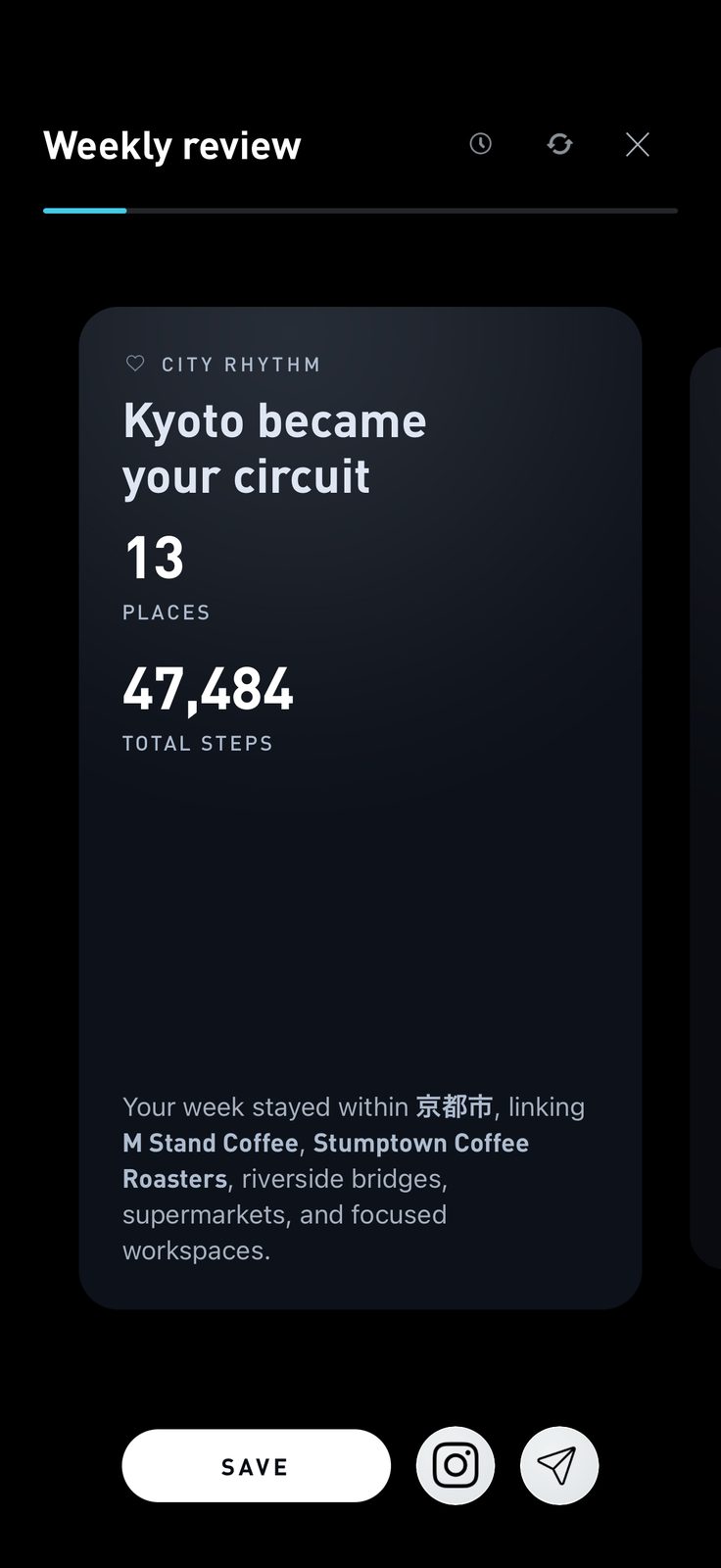
- City rhythm: the places you returned to, how many, and how far you walked between them
- Coach note: one paragraph from your coach on what mattered and what to try next
- Pop quiz: a question about your own week, with bonus tokens for getting it right
Sleep, mood, phone time and weight get cards when there is something to say about them. A week where nothing changed does not get padded out with filler.
A meta-analysis of 138 studies found that prompting people to monitor their progress made them more likely to reach their goal, with bigger effects when progress was recorded or reported. (Harkin et al., Psychological Bulletin, 2016). The Weekly Review is that prompt, delivered every Monday without you having to remember to check.
Why Monday
Open the review while the week is still fresh in your memory. Compare the numbers with what you remember about a good day or a difficult one, then choose something to work on this week.
Monthly reviews get the same card treatment at the start of each month, with a longer view: which weeks were the strong ones, and what changed across the whole month.
The meal spotlight
Each week the review picks one meal worth looking at again. Sometimes it is the best thing you ate: the chicken quinoa bowl that packed 43g of protein and 7g of fiber into one lunch. Sometimes it is the meal that explains the rest of the week. Either way you see it with its numbers, and your coach says why it was chosen.
In a trial of 1,685 adults, people who kept food records six or more days a week lost about twice as much weight as people who kept them one day a week or less. (Hollis et al., American Journal of Preventive Medicine, 2008). The meal spotlight is the weekly payoff for logging: it turns a pile of photos into one clear lesson.
Where the work hours went
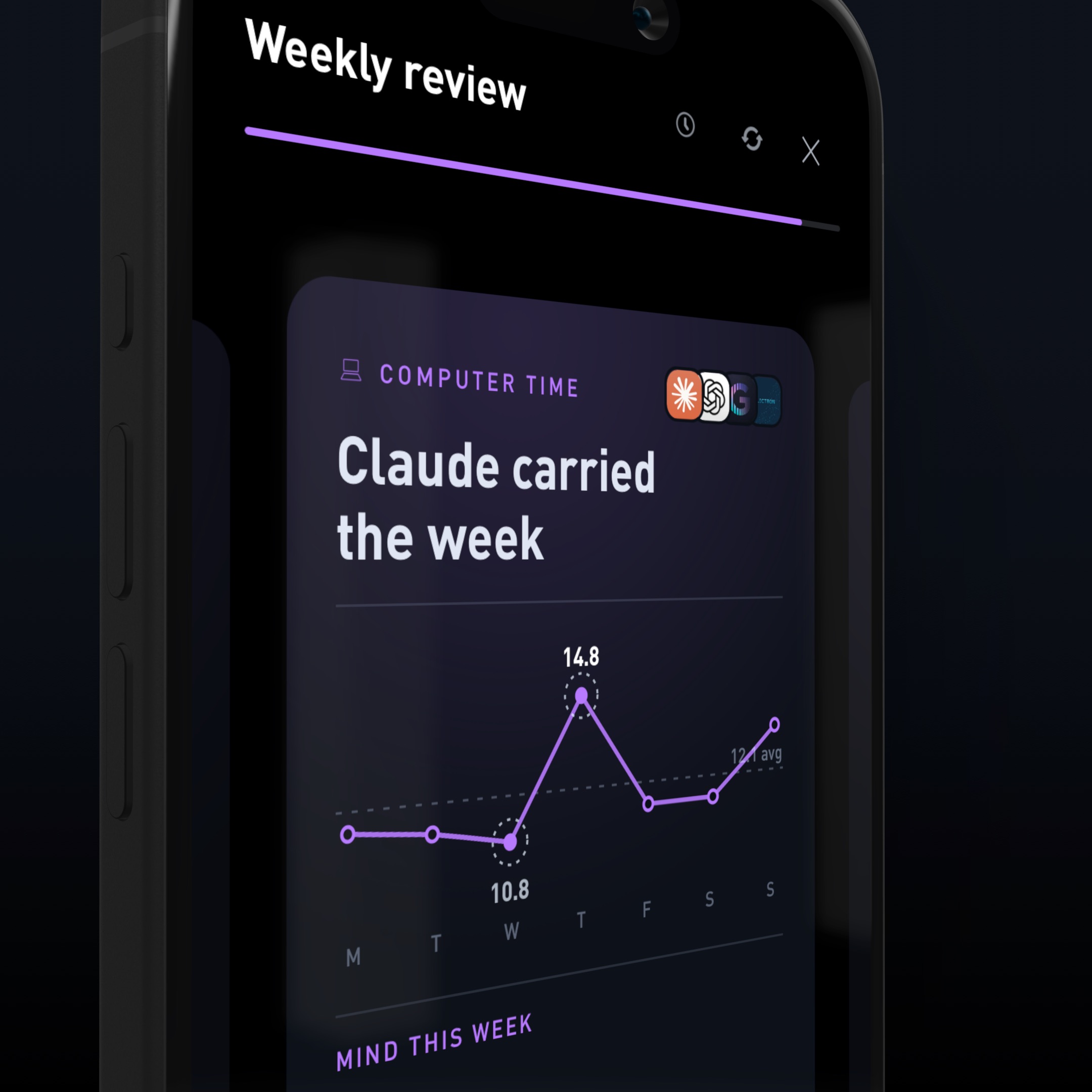
If you use the Gyroscope desktop app, the review includes a Computer Time card: your hours by day against your average, and the apps and sites that carried the week. The example above is a week where Claude took 28 hours, ChatGPT 13, and everything else trailed. It is a surprisingly honest picture of what you actually did all week, as opposed to what you planned to.
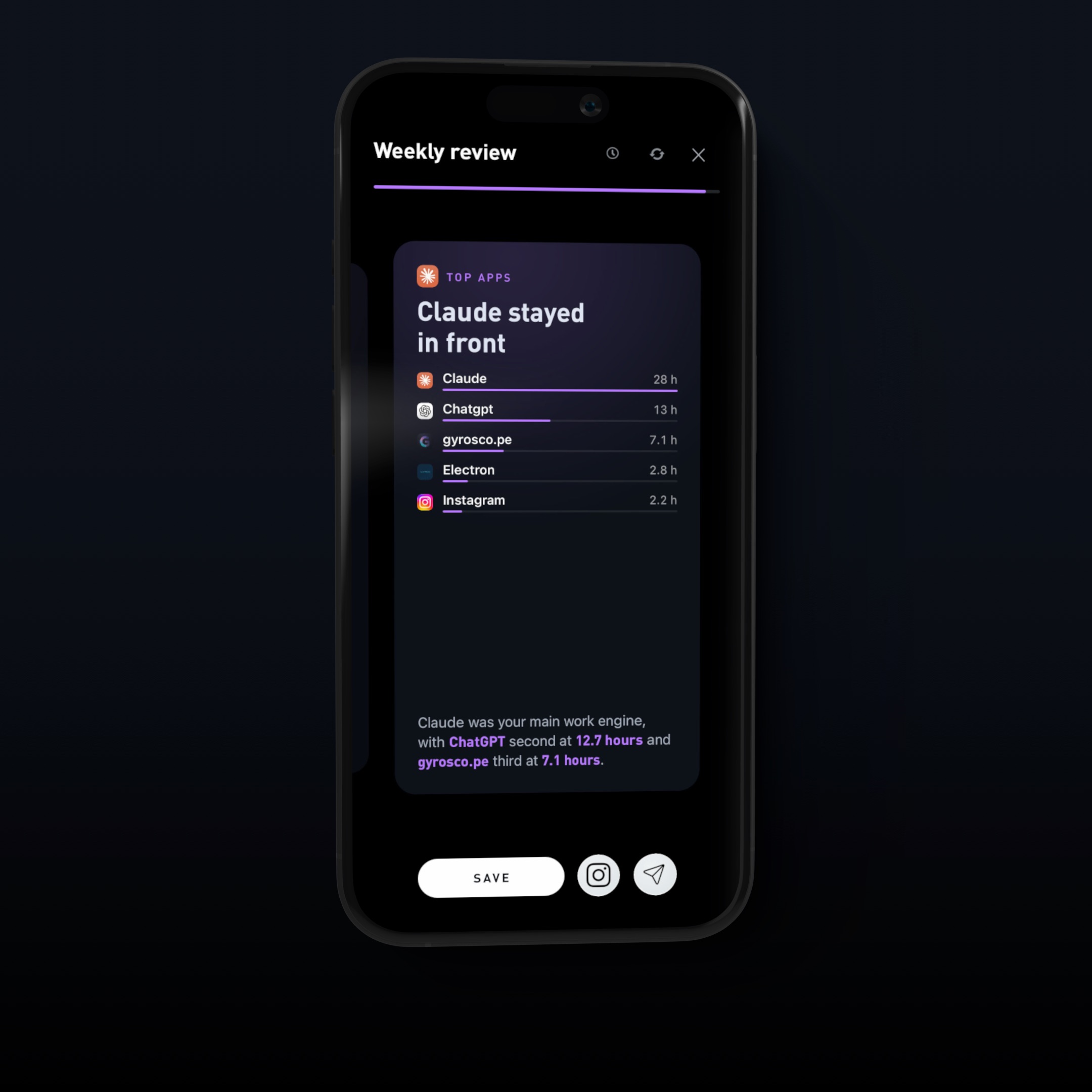
After an interruption, it took people about 23 minutes to get back to the original task. (Mark, Gudith and Klocke, CHI, 2008). Seeing Instagram sitting in your top five work apps is usually all the argument you need to move it off the laptop.
The pop quiz
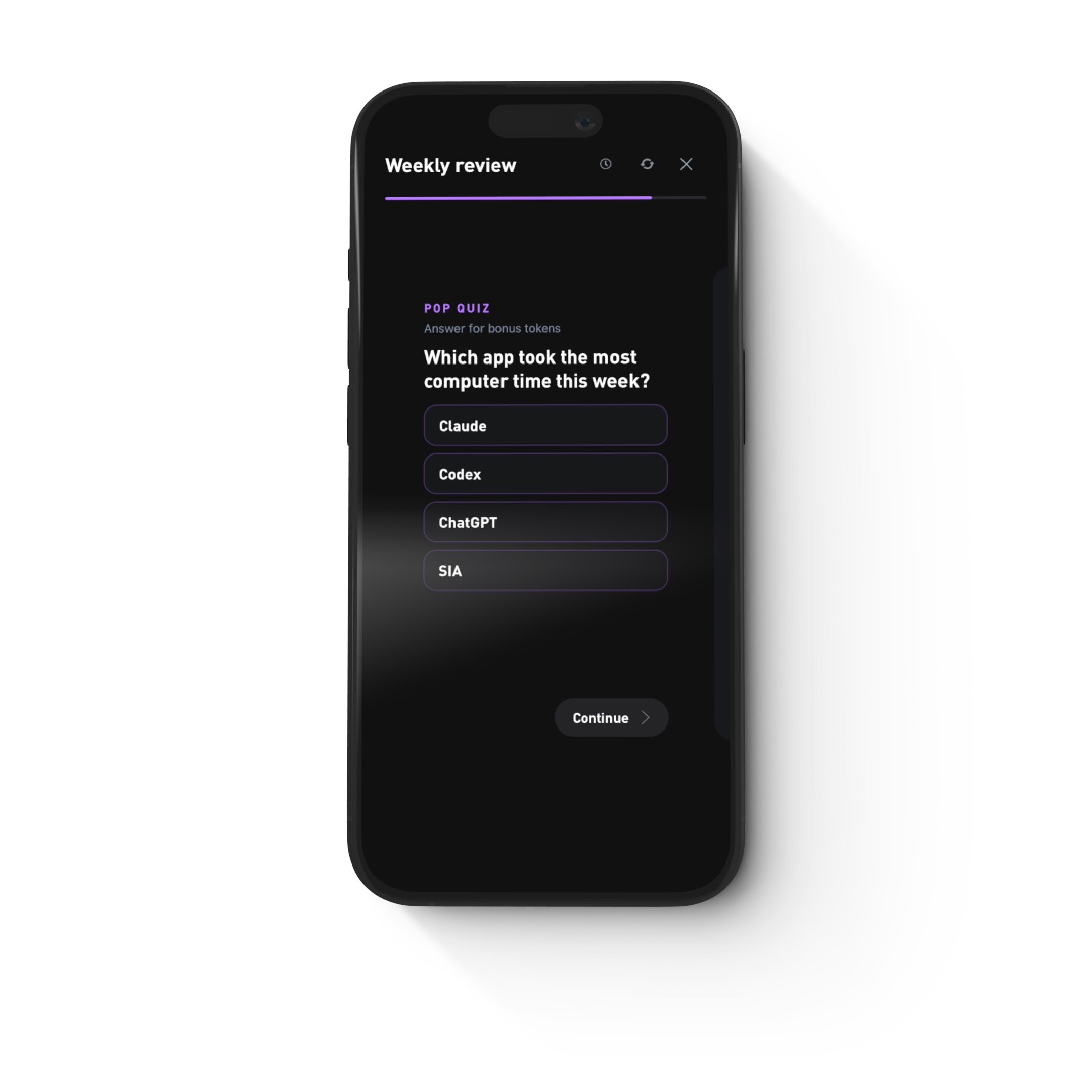
Partway through, the review stops and asks a question before it shows you the answer. Which app took the most computer time this week? Which day had the most steps? Which meal had the most protein?
Guess right and you earn bonus tokens for your coach. Guess wrong and you learn something about the gap between the week you remember and the week you had. Both are useful.
Employees who spent 15 minutes at the end of the day reflecting in writing performed about 23% better after 10 days than those who did not. (Di Stefano, Gino, Pisano and Staats, Harvard Business School, 2014). The quiz makes you stop and think about your week for a moment instead of scrolling past it.
Save the cards that mean something
Every card in the weekly and monthly review exports as a clean image. A personal best, a city you covered on foot, the week your training finally clicked. Tap Save to keep it, or send it straight to Instagram or a friend. The numbers are yours, and now the cards are too.
The History time machine
History also picked up a time machine. Jump to the same day last week, last month, a year ago, your birthday, or last Christmas, and see what you were doing then. Paired with the weekly and monthly reviews stacked above it, History is now the place to see how far you have come.
How to get your first one
Update Gyroscope, connect the sources you care about, and open History on Monday morning. The first review is built from whatever you tracked this week, so the more you connect, the more it has to say.