
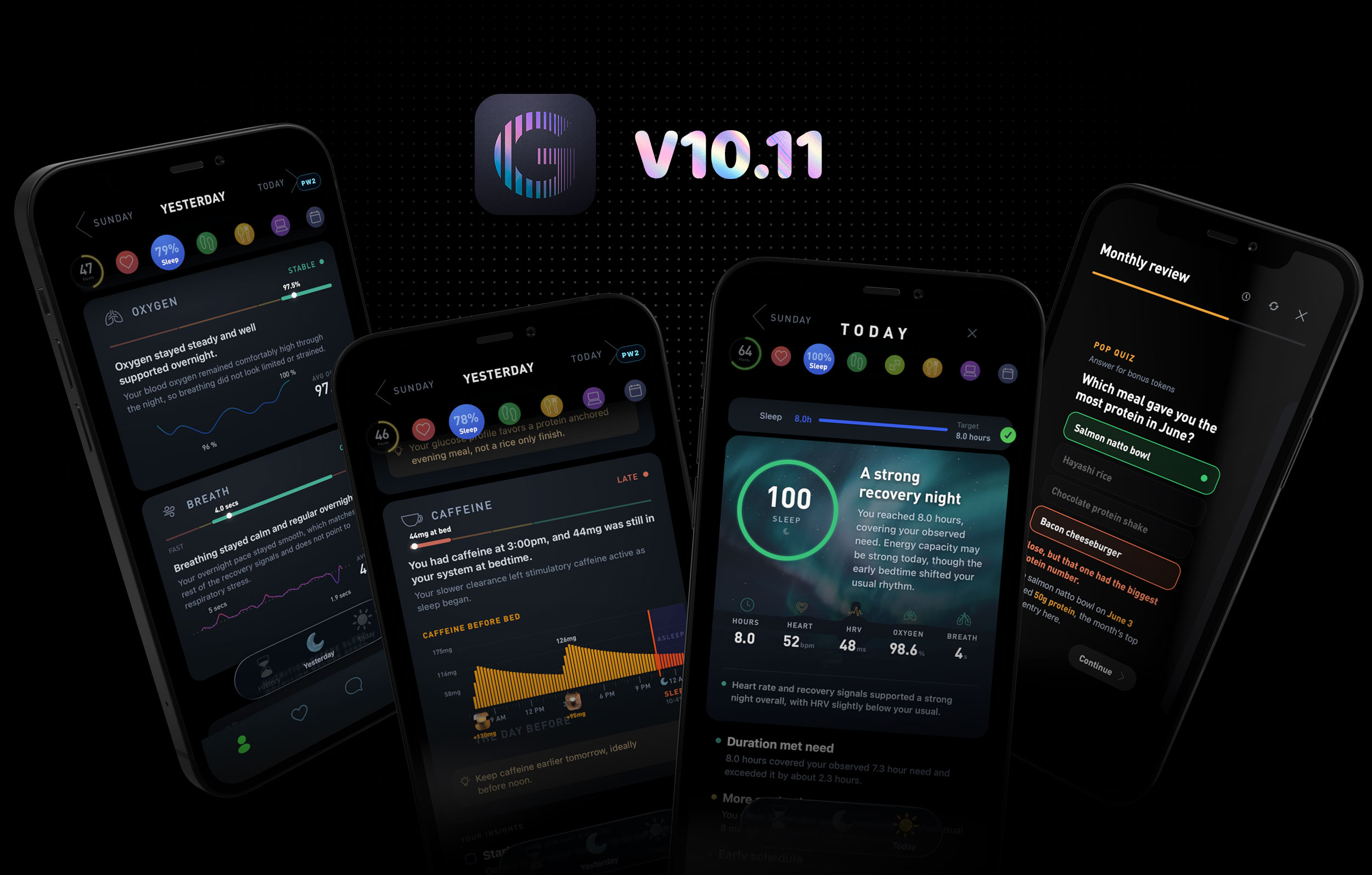
Gyroscope V10.11 is now live and available for download in the App Store.
This version introduces our brand new Sleep System, a new way to track, understand and improve your nights, and opens up Phone Time to every member. Around those two are hundreds of new trackers, coaching tools, protocols and fixes.
Special thanks to everyone who has been writing in with bug reports and suggestions. Most of what is in this version came directly from those notes. If you are already a member, all you need to do is update to the latest version and the new features turn on the next morning.
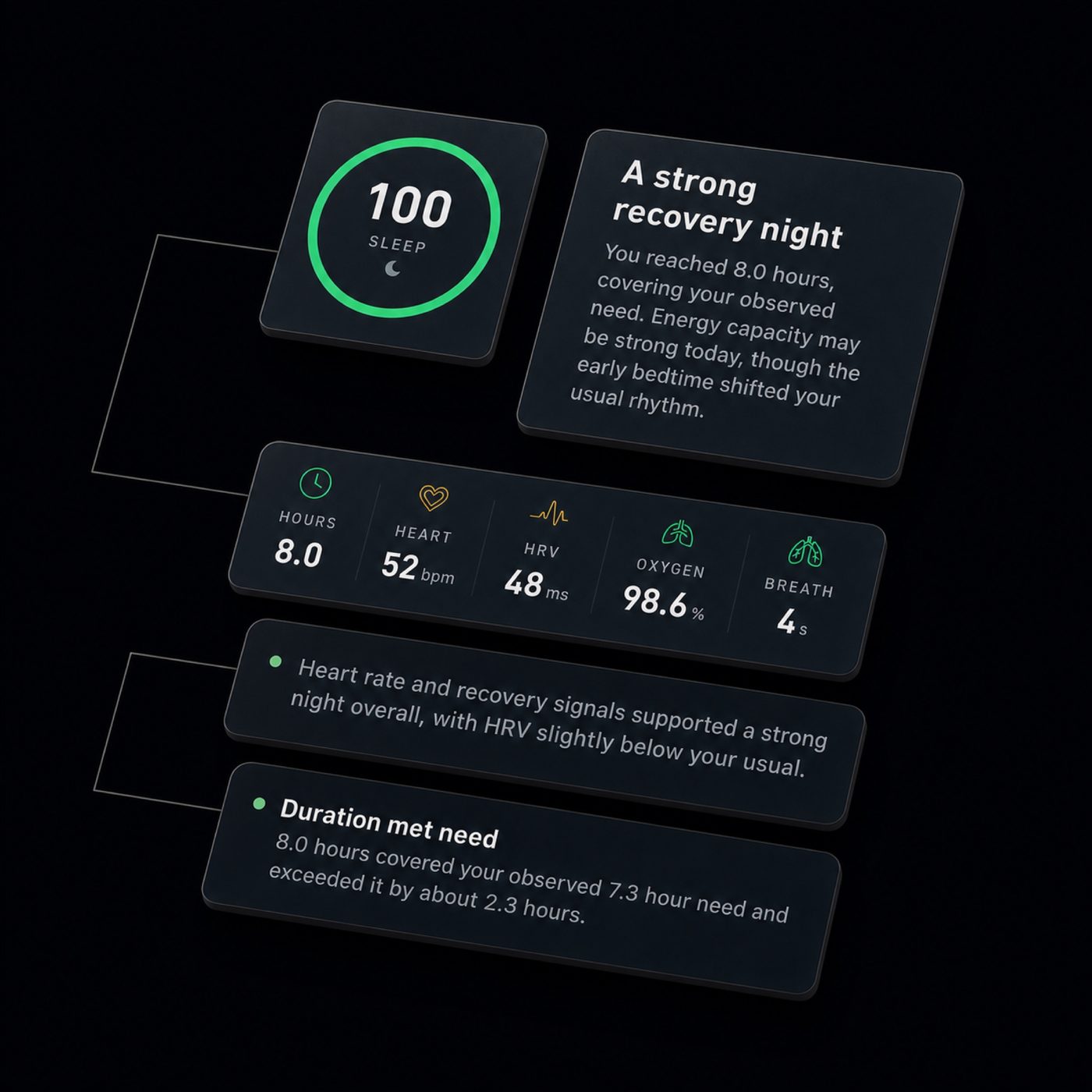
The new Sleep Score
We have been testing a brand new sleep system for the last few months, and it is finally ready. This release brings new insights, a new report format, and new infrastructure that makes the Sleep Score two to three times faster than before.
The app now reviews millions of data points each night and surfaces the ones that matter. Your sleep stages, your heart rate and HRV, your oxygen and breathing, your own baseline from every previous night. Even your DNA and your nutrition history are factored in, which makes this the most comprehensive sleep system we know of.
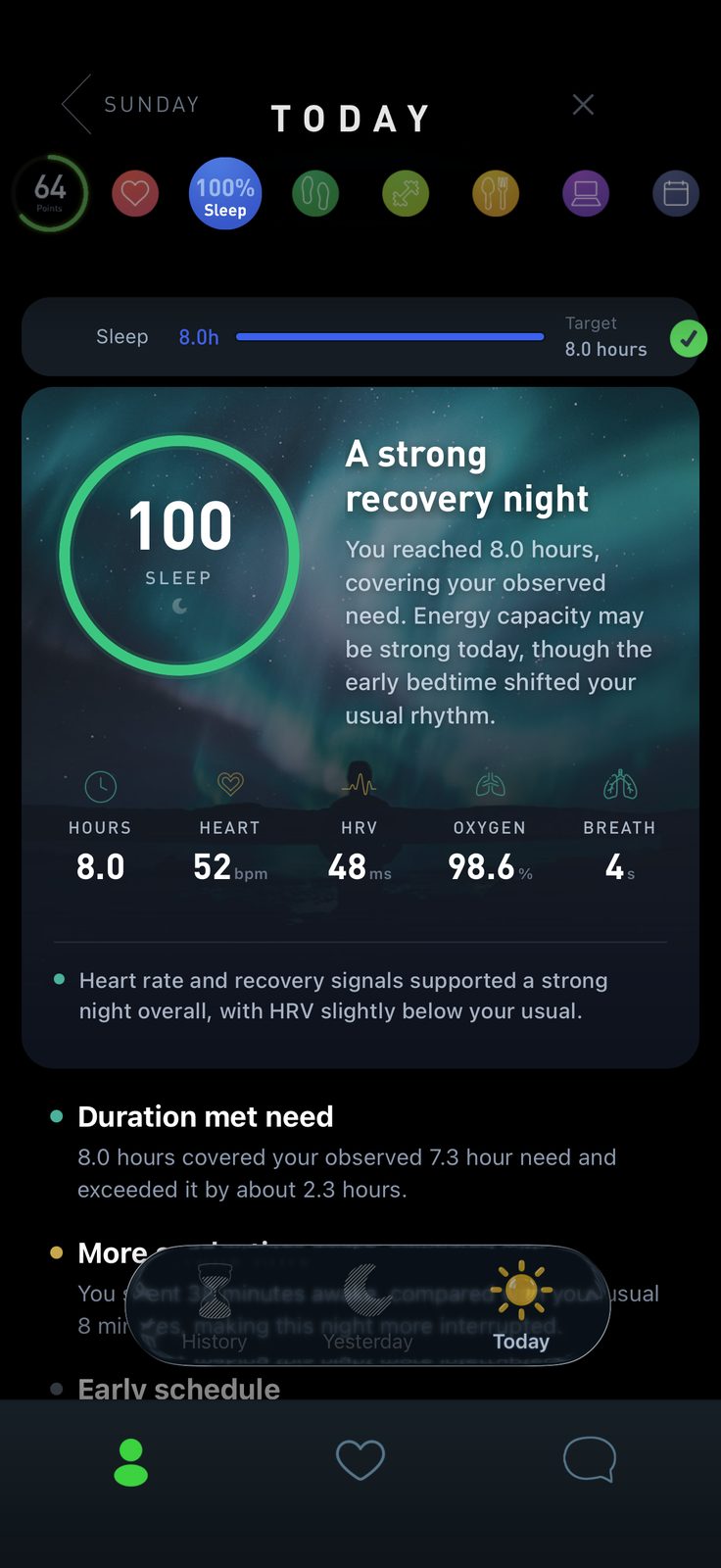
Open Sleep for a summary of the night, then explore individual measurements and their trends.
You still get the charts and graphs of your data, but now each one comes with a personalized explanation from your coach saying what it means for you. At the bottom of every report is a short checklist for today: the two or three things that will actually move tonight's score.
- Faster and smarter scoring, about three times quicker on the first open of the day
- Fixed loading issues with various devices: a night either saves or tells you exactly why it could not
- New integrations with Oura, Garmin, Whoop, Fitbit and Apple Watch
- Support for daytime naps
- Nonstandard sleep mode for night workers and daytime sleepers
- Continuous caffeine and nutrition monitoring
- More automatic background syncing, including re-pulling late HRV from Garmin and Oura
- A new notification the moment your Sleep Score is ready
If you have a wearable like Oura or Garmin, you can now connect it directly in Settings to import advanced metrics like HRV that do not pass through Apple Health. If you work nights, turn on nonstandard sleep and your main sleep will no longer be split across two dates.
400mg of caffeine taken six hours before bed cut measured sleep by about an hour, and participants did not notice the difference themselves. (Drake et al., Journal of Clinical Sleep Medicine, 2013). The new caffeine monitor shows how much is still active at bedtime.
Nutrition before sleep
Sleep is rarely a sleep problem. It is usually a dinner problem, a caffeine problem, a screen problem or a stress problem that shows up at night. Most people have a wearable now, yet sleep is worse than ever, because almost everything in modern life is fighting it: highly processed meals, late dinners, bright lights, stress, screens.
We have also found that sleep is one of the biggest variables holding back people who want to lose weight. Short nights raise hunger hormones, drain willpower, and shift the body toward burning muscle instead of fat.
Dieters who slept 5.5 hours instead of 8.5 lost 55% less fat on the same calories, and lost more lean mass instead. (Nedeltcheva et al., Annals of Internal Medicine, 2010). If the scale is not moving, your nights are the first place to look.
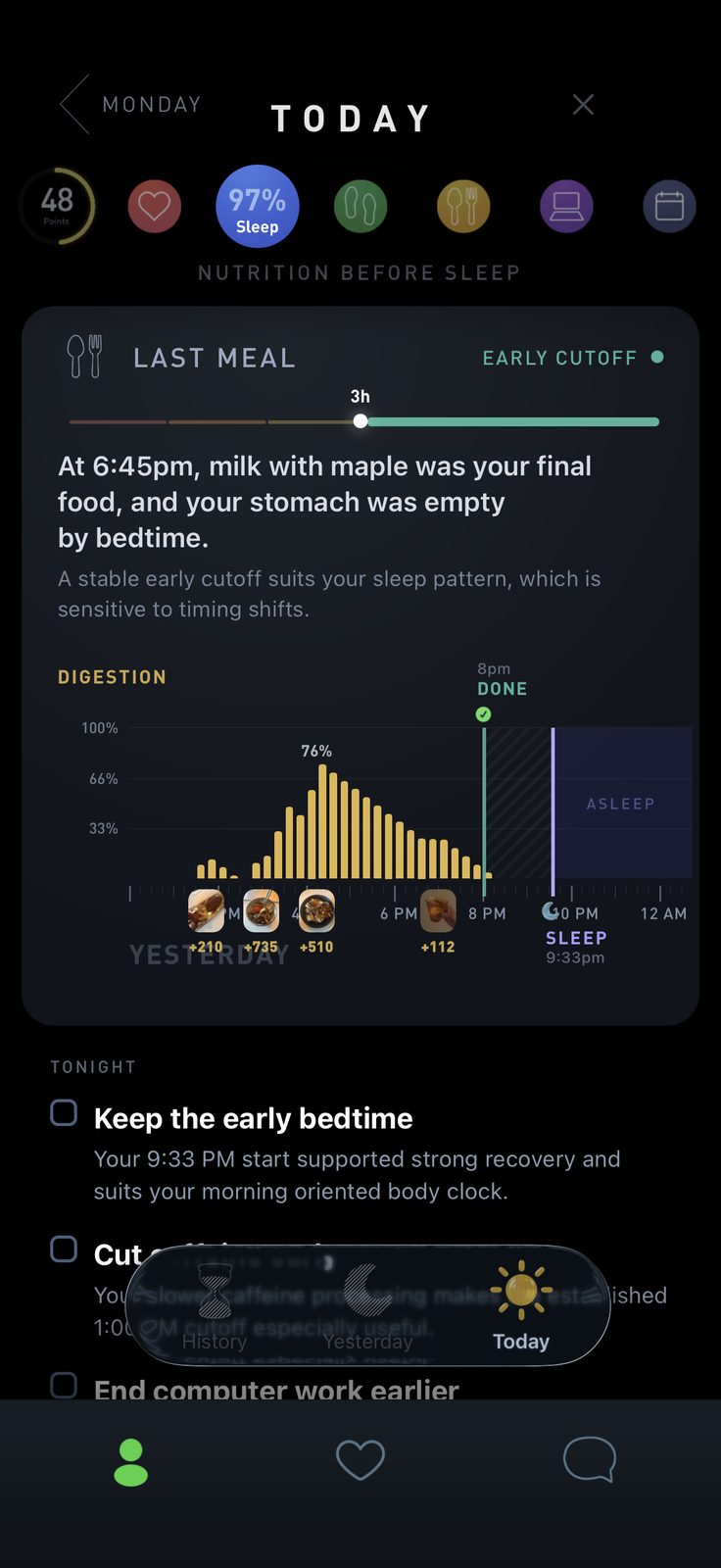
The new Nutrition Before Sleep view puts your last meal, estimated digestion curve and bedtime on one timeline. Compare meals and drinks with your sleep measurements and use the morning suggestions to choose a change for tonight. Try one change at a time and follow what happens over several nights.
Nutrition Before Sleep is included in Gyroscope One.
Phone tracking, now for everyone
In this version we are opening up Phone Time, previously limited to Max members and early beta testers, to all our customers. Now everyone can see exactly how much time they spend on their phone, and on which apps.
Warning: it may be a lot.
Many people are spending five or more hours a day on their phone without realizing it. Evening screen use is consistently linked to later bedtimes and shorter sleep, and the latest generation of social apps is designed to keep you scrolling.
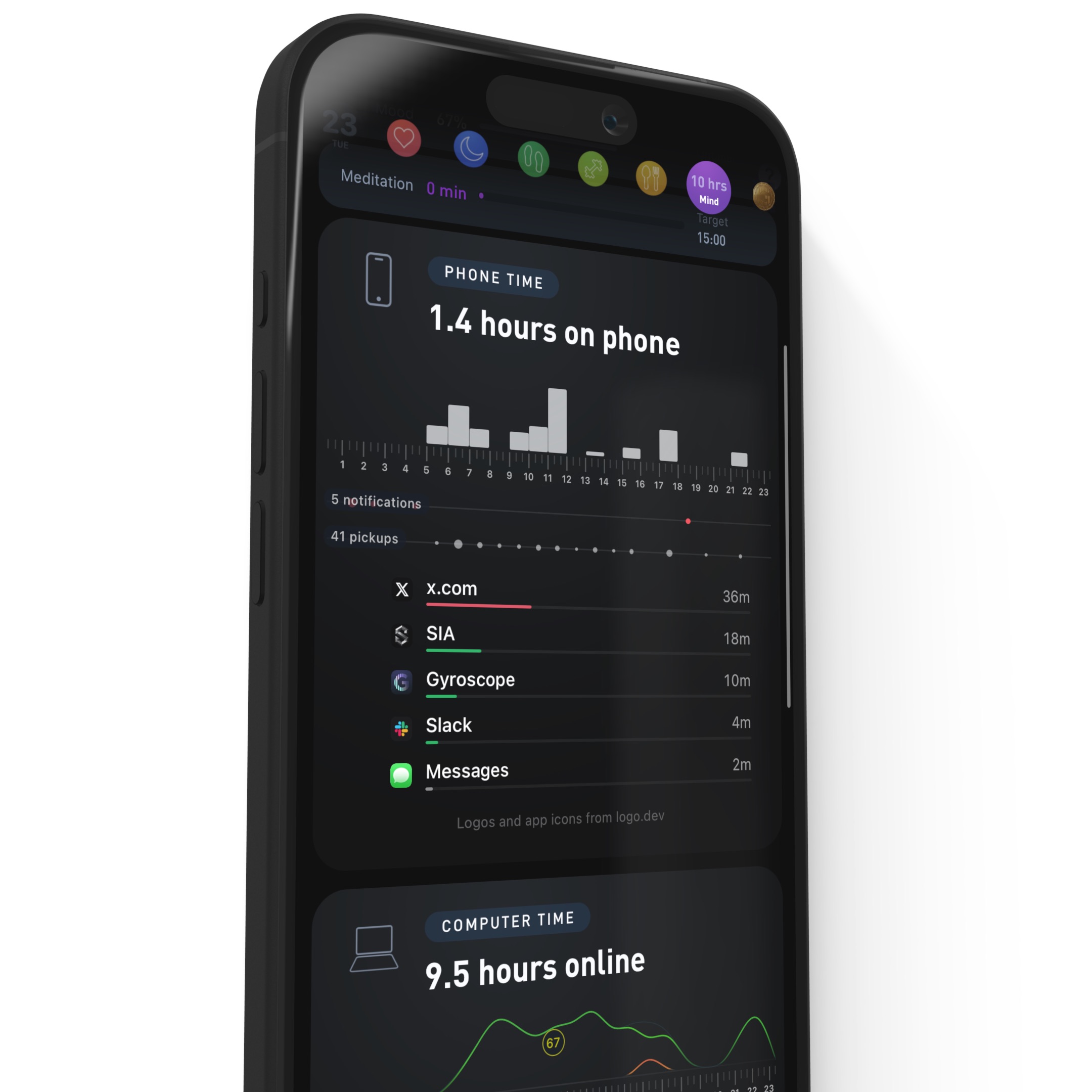
We think this is one of the most important trackers in the app. Steps and sleep tell you what your body did. Phone Time tells you where your attention went, which is usually the thing quietly eating your evenings, your focus and your bedtime. Seeing the real number is often the whole intervention.
Importing takes one tap each morning, alongside your sleep, meals and mood, either all together in the morning routine or on its own. Yesterday's total, the hour-by-hour pattern, pickups, notifications and minutes per app land in the same morning report as everything else, and any app can become its own Trend so you can watch it change week over week.
A phone sitting on the desk, face down and silent, measurably reduced working memory and attention compared with leaving it in another room. (Ward et al., Journal of the Association for Consumer Research, 2017). The cost of the phone is not only the hours on it.
To view your screen time, simply open the Mind (purple) section of your daily report. For today, you can see your latest time. For yesterday and previous days, you’ll see the full report and be able to import it into your long-term trends.
Improvements to Places
The place auto-detection algorithm has been rebuilt to match you more reliably to places you return to, while still telling apart places that are close together. A spot one block from your house is now clearly its own place. Your own corrections carry more weight than automatic matches, so every adjustment retrains the app for the next visit.
The timeline now merges tracked workouts like running into your Places timeline, so a run with just your Apple Watch shows up in the same day as the places you went. Custom places are better too, with thousands of categories for spots that are not in the public database, like a friend's house.
There are new settings for visit radius and travel handling, smoother travel lines and maps, and a tracking status screen to review your setup or restart location tracking if it ever gets stuck.
For the rare day that comes in wrong, Gyroscope One members get the new AI place engine: drag the split handles to separate two stops that blurred into one visit, smooth a messy visit, or recalculate the whole day from the raw GPS trail and confirm, edit or retry each proposed step.
New notifications system
Notifications have been rebuilt from scratch. Instead of static alerts, most messages are now generated by your coach based on your goals and your real-time data. There are new daily alerts for the moment your Sleep Score is ready, when a workout syncs, and when it is time for your morning routine.
New settings put you in control: what time you want to receive messages, how many per day, which types, and how much coaching you want overall. Background messaging keeps you on track even when the app is closed, and if you are not ready for it, Do Not Disturb makes almost everything go quiet. To keep receiving background messages, check in with your coach at least once a week.
The coach
As AI models and our understanding of human health improve, the coaching system keeps getting more capable. New tools in this version include a real understanding of the weather and UV levels, better search across your own history, more direct control over your targets and action plan, and the ability to set reminders straight from chat.
You can also now choose how strict your coach is, how deep it goes into the science, and how often it reaches out.
Food improvements
The food system keeps getting faster, more accurate and more reliable. The analysis screen is now simpler, with a checklist that shows each step as it happens. If your connection is weak, which happens at restaurants and on bad wifi, the app tells you instead of failing with a mysterious error, and you can save the photo to upload later so a meal is never lost to a dead zone.
The new weekly and monthly report
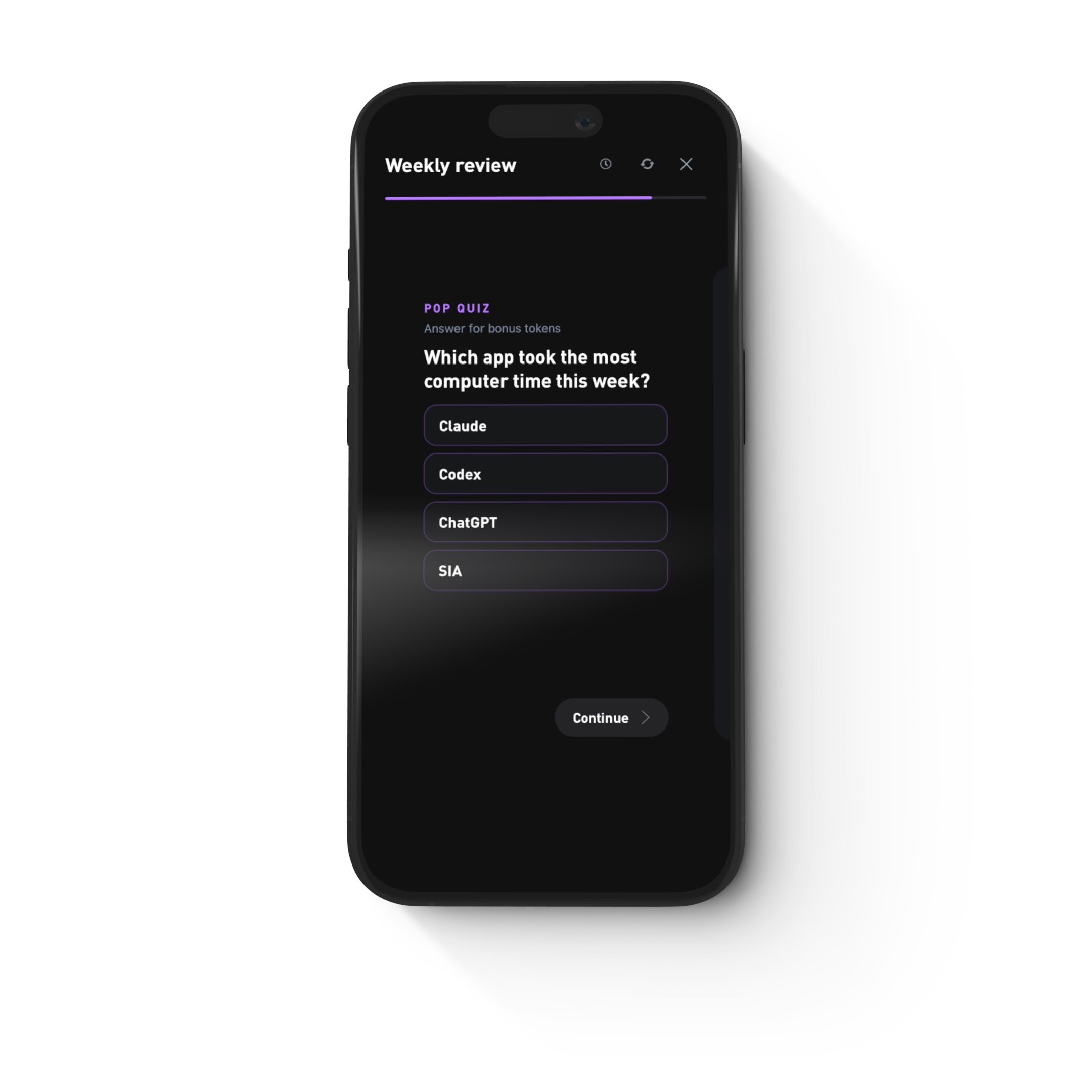
Every Monday you will also get the new Weekly Review: your training mix, a meal spotlight, your work tools, your city rhythm, a note from your coach, and a pop quiz to see how well you know your own week. Every card can be exported as an image to save or share, and History picked up a time machine to jump back to the same day a year ago.
And everything else
Beyond the headline features, a large share of this release went into fixing the open bugs and crashes you reported, and into accuracy. Every tracker gets better as more people use it, and this version includes dozens of small corrections across sleep, places, food and sync.
- Sleep signals and Places now support dozens of additional languages
- A new habits calendar to see your streaks at a glance
- Notification, email and account settings now live on gyrosco.pe as well as in the app
- A simpler login and signup flow with one-time codes
- Clear handling when your phone runs out of disk space
- Faster launches and smoother scrolling across the app
- Email topics you can choose: onboarding and guides, fat loss, Places, iPhone, Android and more
There is a lot more planned for the coming weeks, with more announcements here soon.
How to get it
Update to the latest version of Gyroscope, wear your tracker tonight, and open the app in the morning. Everything above turns on as soon as you update.